


February 24,2026
How to Create a Restaurant or Café Chatbot Without Development
Like many other industries, visiting cafés and restaurants has noticeably changed due to digitalization. Yes, at its core, everything remains the same. That is, a person walks into a place to eat. But the interaction points with restaurants have quietly yet significantly evolved:
- QR-code menus or digital displays;
- Online table reservations instead of phone calls;
- Notifications and confirmations sent directly to smartphones;
- Communication and feedback through digital channels;
- Not to mention delivery to the door at a scheduled time, which has become the norm.
If you compare today’s experience to going out to a café or restaurant in 2010 (or even in pre-pandemic 2019) the changes are obvious. To remain competitive, restaurants need to keep up with these trends. One of the most effective, easy-to-implement, and cost-efficient ways to do so is to launch a chatbot for your café or restaurant.
And this is exactly where the Domino CRM chatbot builder can do a lot.
What a Restaurant or Café Chatbot Should Be Able to Do
A chatbot for restaurants should handle at least the following:
- Table reservations with time selection and the ability to specify the number of guests;
- If reservations require a deposit (for example, half of the minimum check amount during holiday events), the chatbot should allow guests to pay it without leaving the chat;
- A digital menu in catalog format, with images and pricing. Ideally, guests should also be able to pay without involving a waiter (especially during busy hours or for takeout orders);
- A system for collecting feedback or handling complaints if something goes wrong;
- The option to switch to live communication with a restaurant staff member in more complex situations;
- Finally, HR-support for the team of your restaurant itself.
This is just the core functionality. Beyond that, additional business and branding elements matter as well:
- Text content aligned with your brand tone of voice;
- Integration of branded visuals;
- Audio and video elements if your business format allows it;
- A well-designed system of visitor variables for analytics;
- Loyalty program integration and reward tracking.
If your café or restaurant needs this kind of multifunctional, all-in-one chatbot, the Domino CRM builder is a strong solution.
Restaurant Chatbot Template in Domino CRM: Restaurant+
As always, Domino CRM aims to simplify chatbot deployment as much as possible. Restaurants and cafés are no exception, which is why we’ve prepared a dedicated template. In fact, two:
- “Restaurant” with standard functionality;
- “Restaurant+” with extended capabilities.
Below, we’ll focus on the second option.
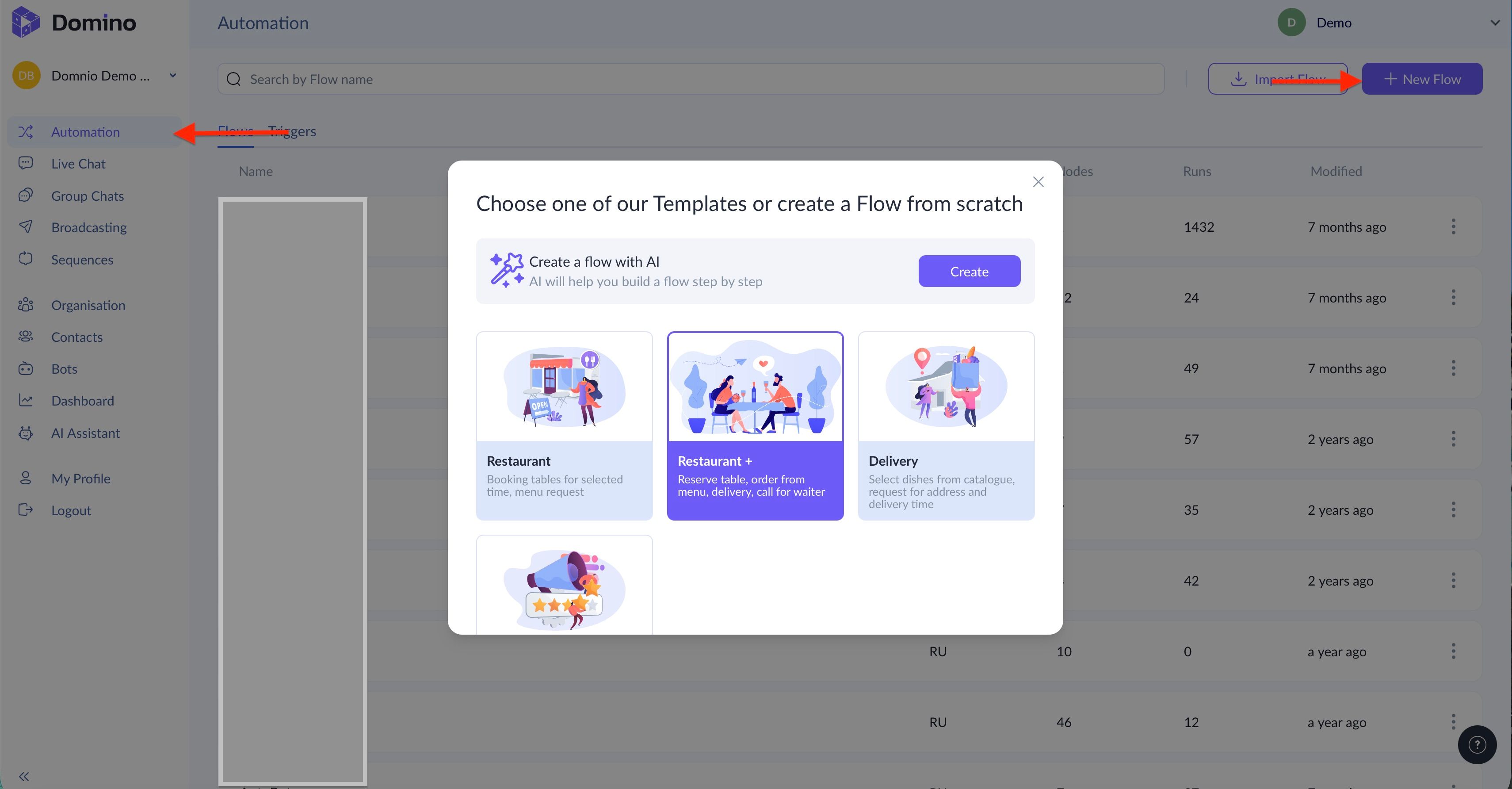
The setup path is simple:
- Log in to the Domino CRM platform;
- Go to the “Automation” section;
- Click “+ New Flow”;
- Select the “Restaurant+” template.
How the Restaurant+ Chatbot Template Works
The logic of this restaurant chatbot template is as follows:
- A visitor launches the conversation via one of several triggers;
- Depending on the situation, the chatbot branches the dialogue: table reservation (if the guest has not yet arrived), order placement (if the guest is already at the venue), or redirection to the restaurant’s website. If the user responds unexpectedly, the chatbot clarifies the request;
- After service is completed, the chatbot asks the guest to rate their experience.
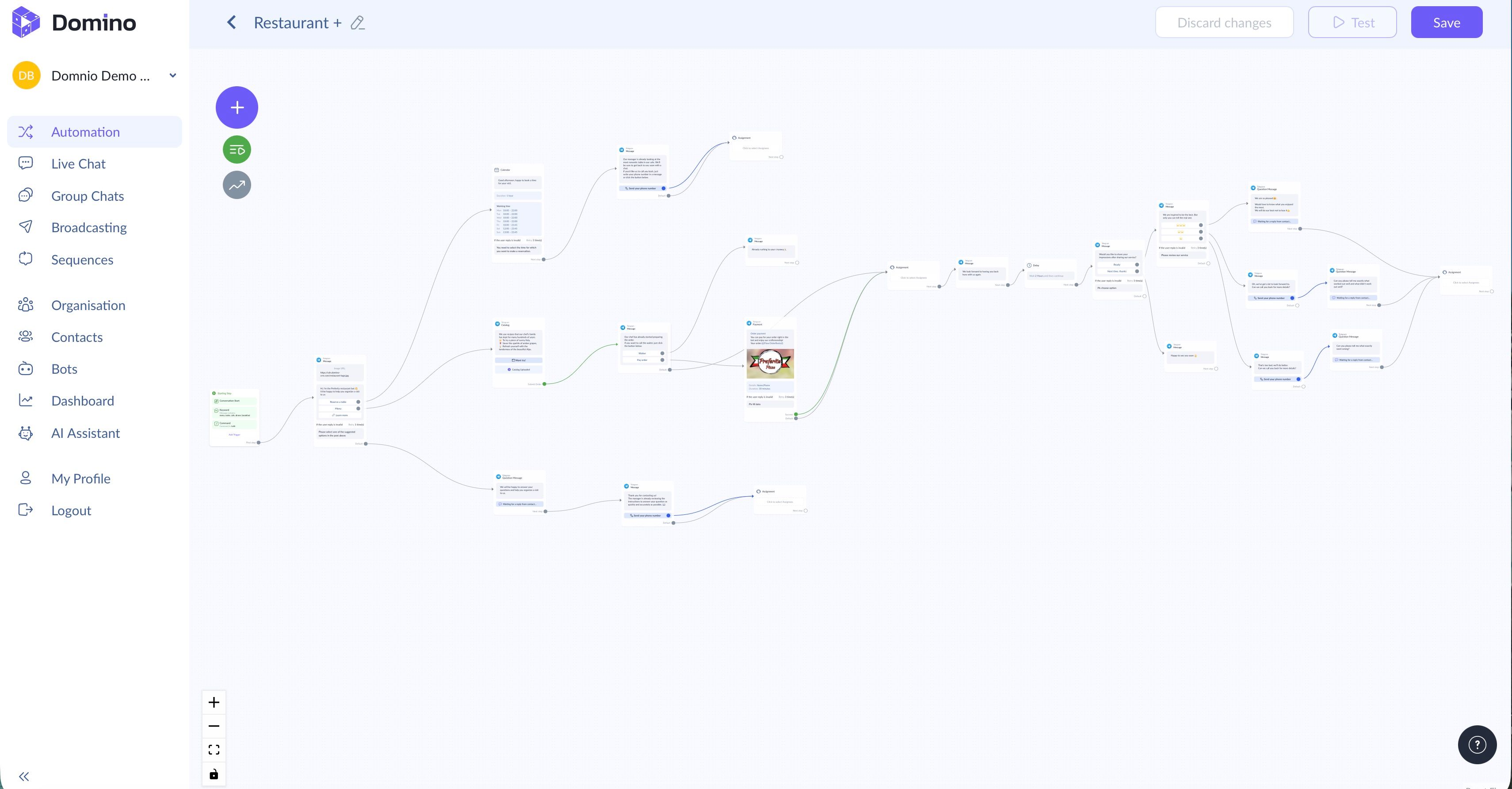
Naturally, this is just the foundation. You can expand or simplify it by adding additional nodes. And if the template doesn’t meet your needs, you can build a custom flow from scratch or generate one using AI.
Unlock the potential of restaurant and café chatbots with Domino CRM. It’s simple!
You May Also Like

Chatbots in Education: What They Can Offer
How to Create a Chatbot for an Online School Without Coding

How to Run a Customer Survey via Chatbot: Domino CRM Guide
How to Run a Customer Survey via Chatbot