


April 13,2026
How to Create a VK Chatbot? Easy with Domino CRM
For Domino CRM, our mission is not just about functionality: multichannel support is just as important. With our chatbot builder, any business can maintain multiple customer touchpoints, allowing users to choose the most convenient, accessible, or simply familiar communication channel. That is why we recently added VK to the list of available options. In this piece, we will show you how to create a VK chatbot using Domino CRM.
How to Create a VK Chatbot with Domino CRM: Step-by-Step Guide
First, log in to your Domino CRM account and go to the ‘Bots’ section. In the top panel, you will find three available options for creating a chatbot, including VK.
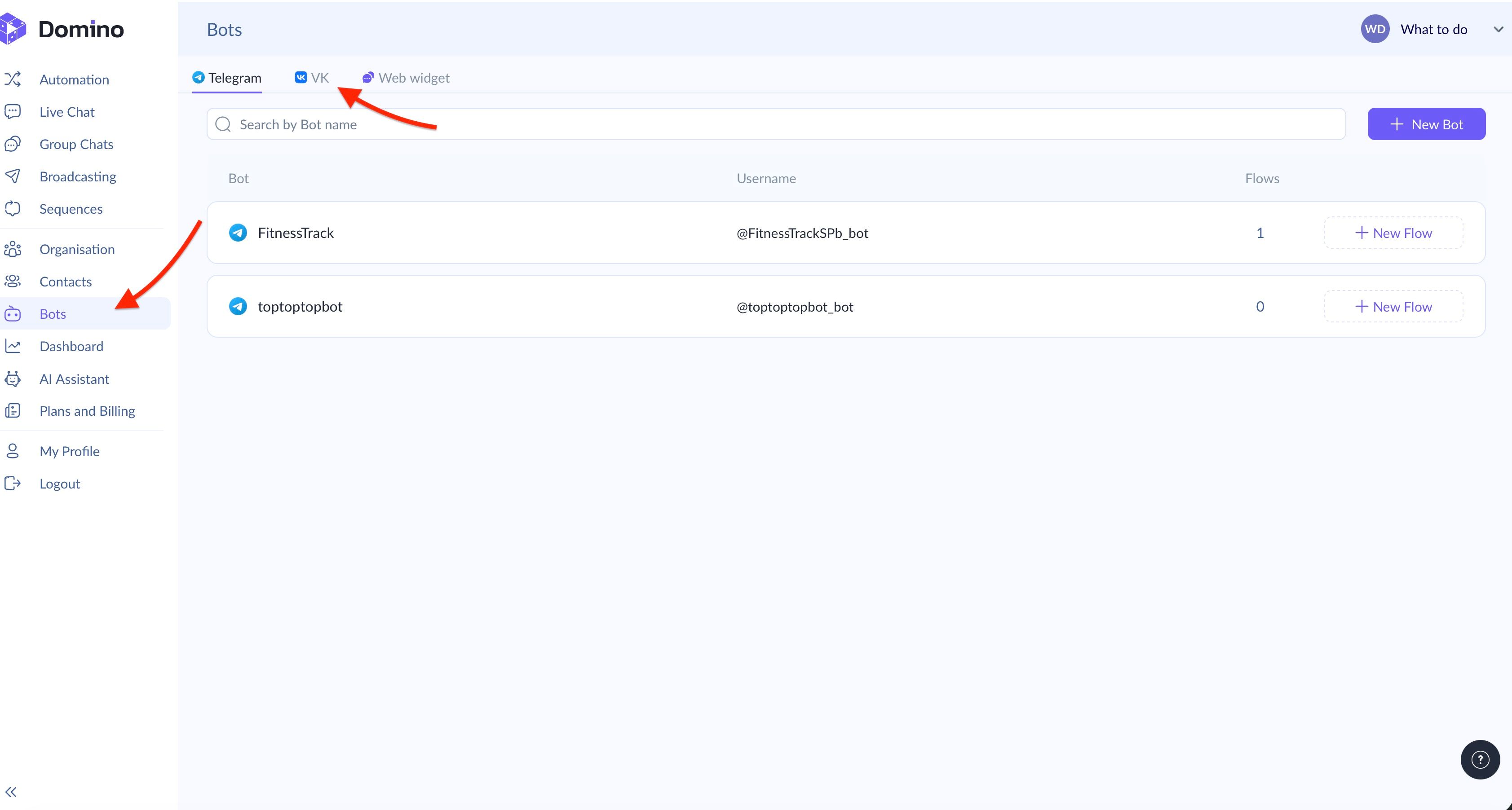
In the VK tab, click the ‘Create bot’ button.
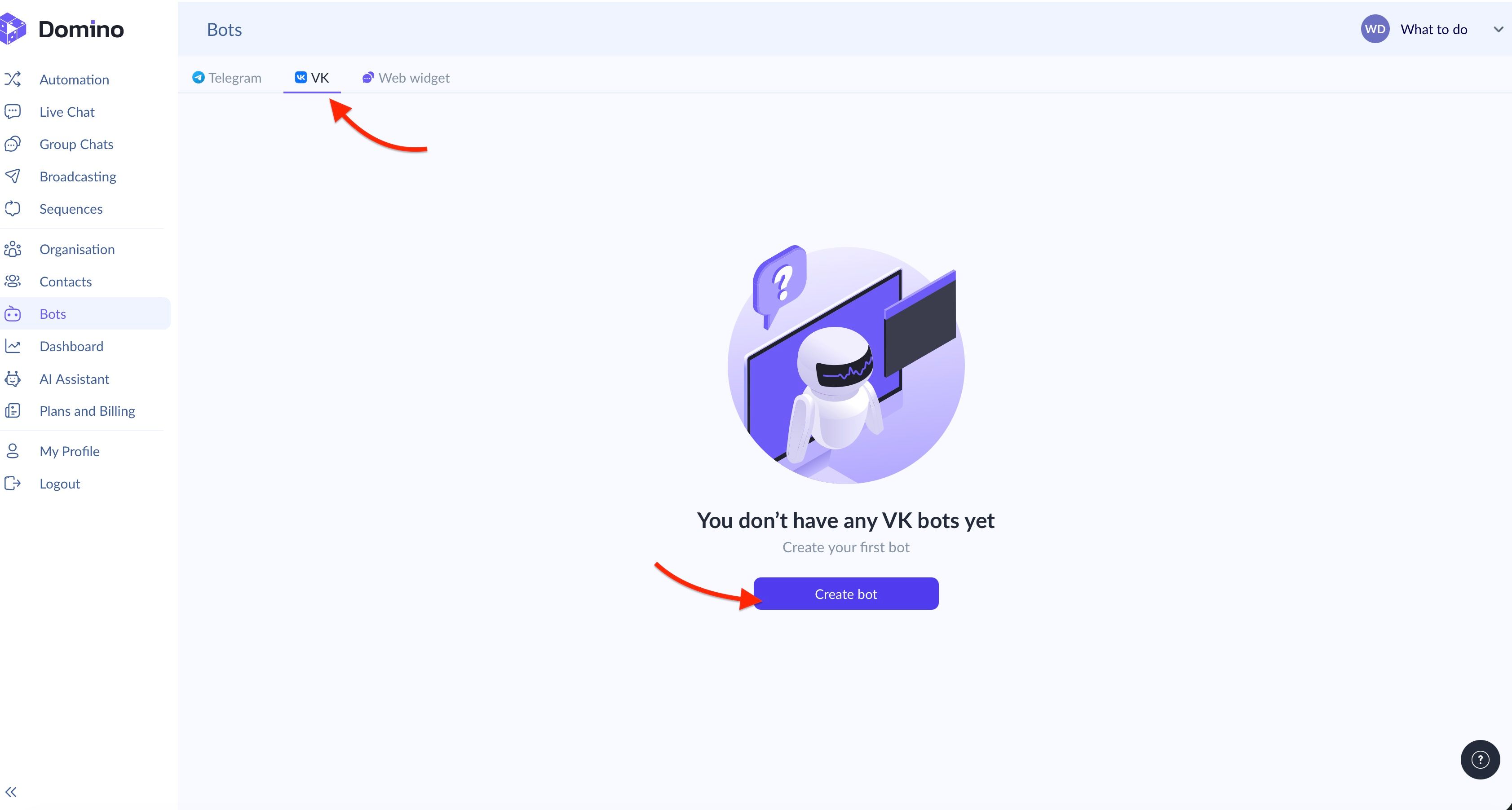
The next step is to set a name for your VK bot. For example, in this scenario, we’ll call it ‘Our first VK bot.’
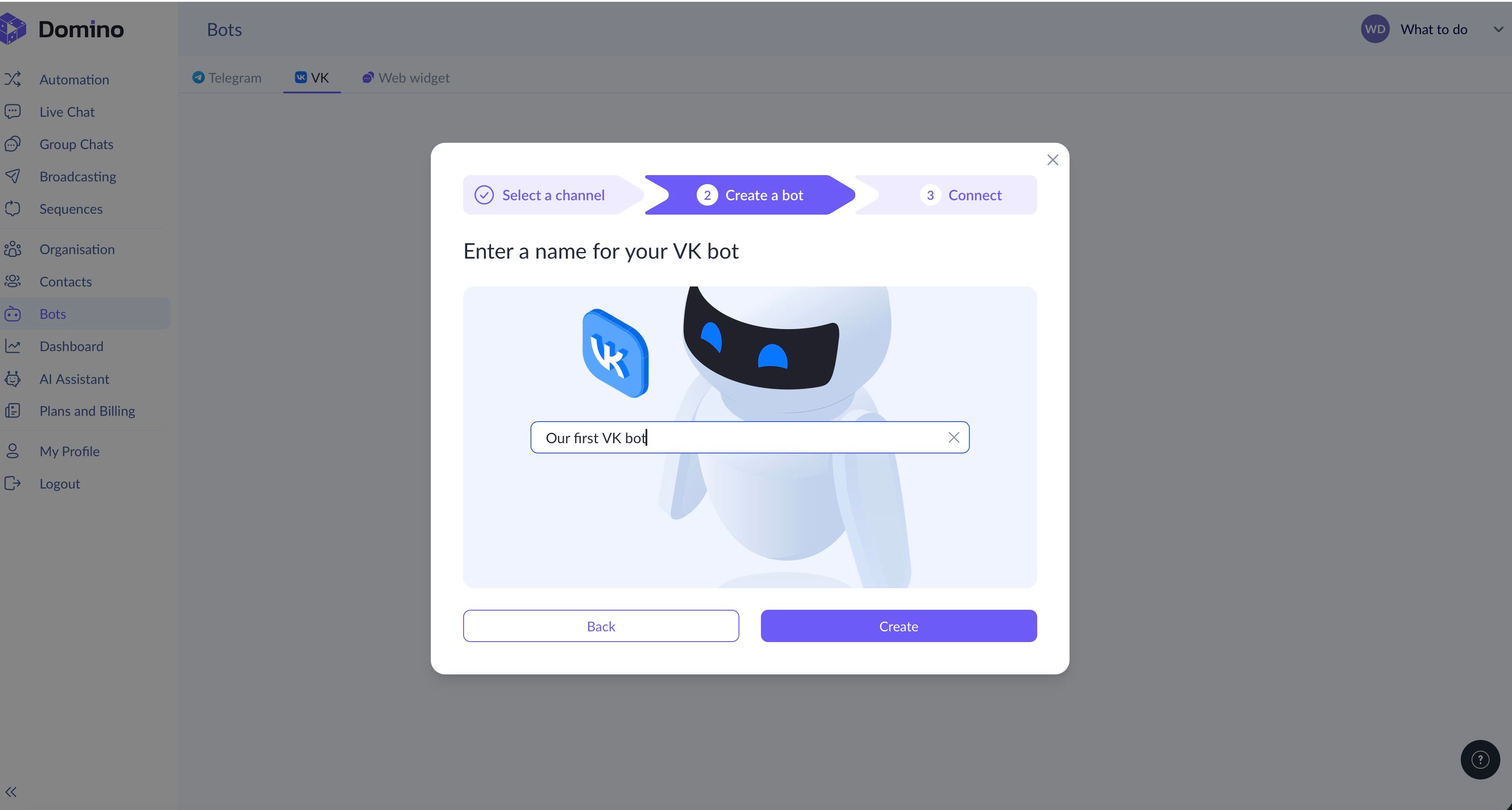
Of course, no VK bot exists in isolation. The system will prompt you to log in to VK and connect the chatbot to a VK community you manage. You can either do this right away or skip the step and connect the bot later in 'Bot Settings.' There, you will find the ‘Connect’ button.
One way or another, the system will ask you to either log in to VK or, if you are already logged in, grant permission to access your communities. To connect a chatbot to a VK group, you must be either its owner or an admin.
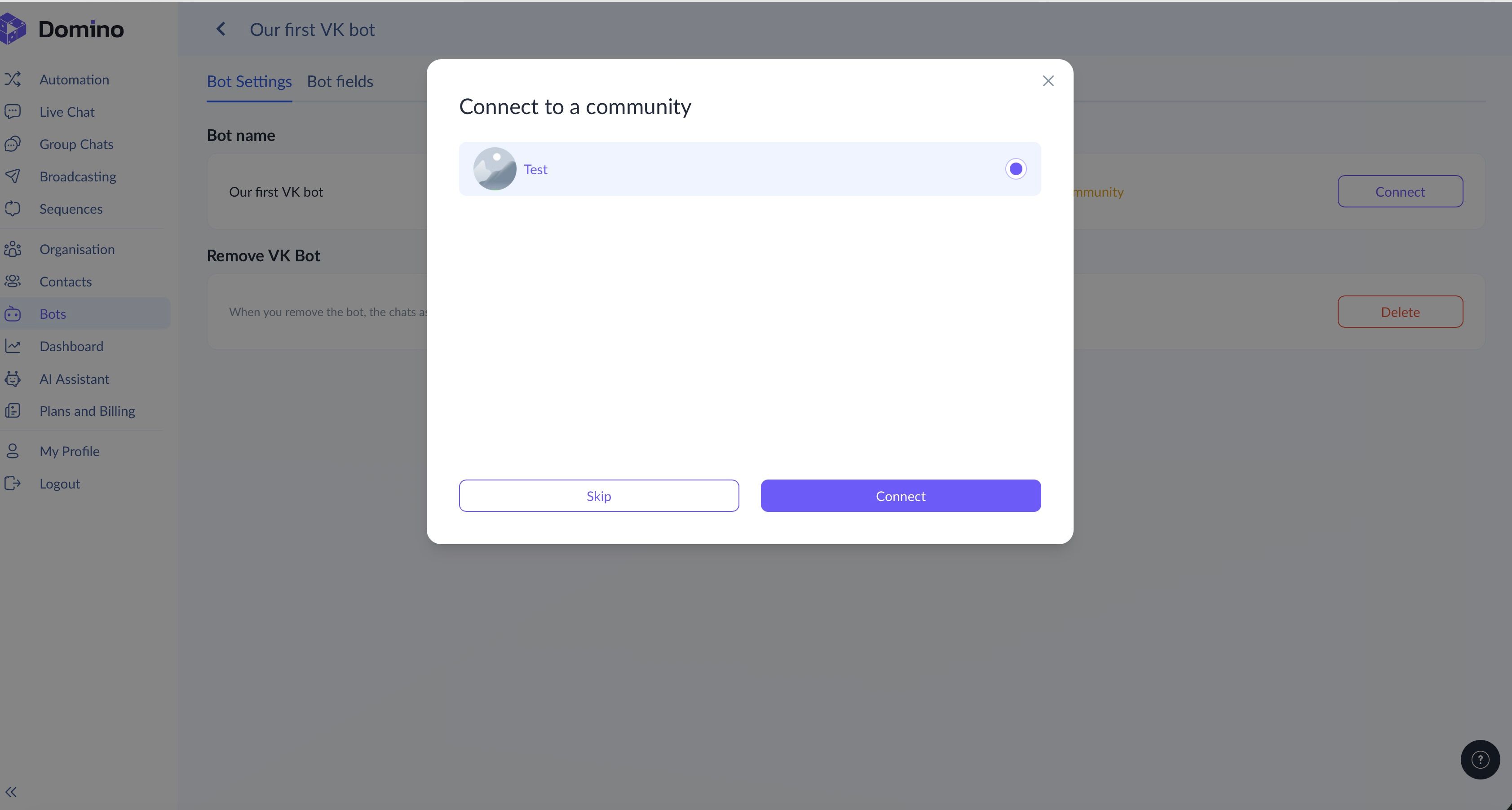
Domino CRM will then pull the list of available communities, and you will only need to select the required one and complete the connection.
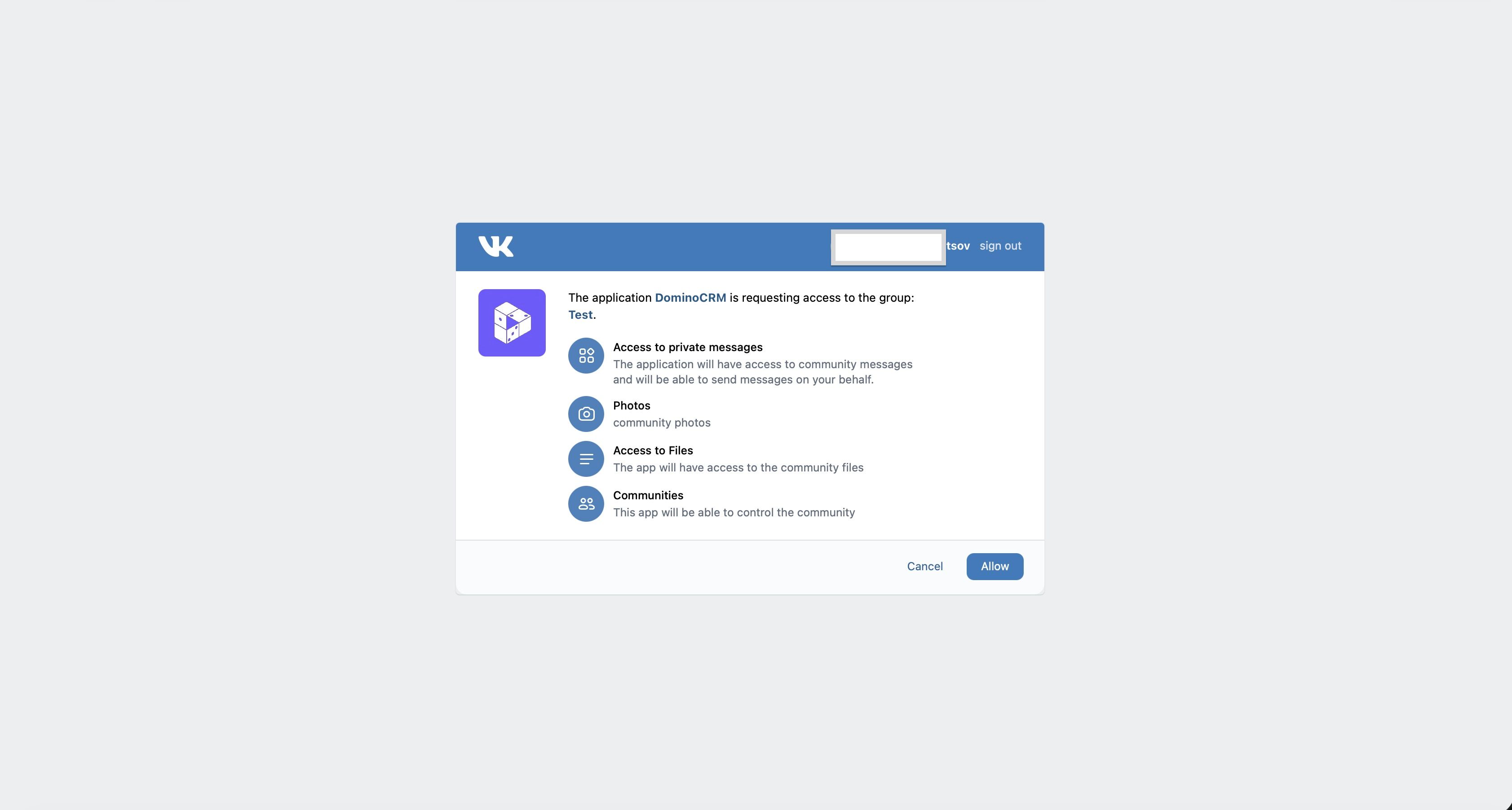
After that, VK will show what access permissions you are granting to the chatbot. Simply click ‘Allow.’ That is it: your VK chatbot is now created and connected! From this point on, whenever someone messages your community, the chatbot will respond and guide them through the required flow.
All that is left is to create your first flow. Our VK chatbot builder enables you to do this in three ways:
- Build everything manually in the visual editor;
- Choose one of the available templates;
- Let the built-in AI generate a flow for you.
We will show how to do this in the next guide!
You May Also Like

How to Create a VK Chatbot Flow with Domino CRM
How to Create a VK Chatbot Flow

Major Updates in Domino CRM: Now in VK!
Now in VK and Beyond: New Chatbot Capabilities in Domino CRM