

April 07,2026
Major Updates in Domino CRM: Now in VK!
We are happy to announce that the updated version of our multichannel chatbot builder for business now supports VK, in addition to Telegram and web widgets. Modern businesses need to be flexible and present across as many communication channels as possible. With Domino CRM, this has become even easier.
So, what’s new in the updated Domino CRM?
1. The Ability to Create Bots in VK
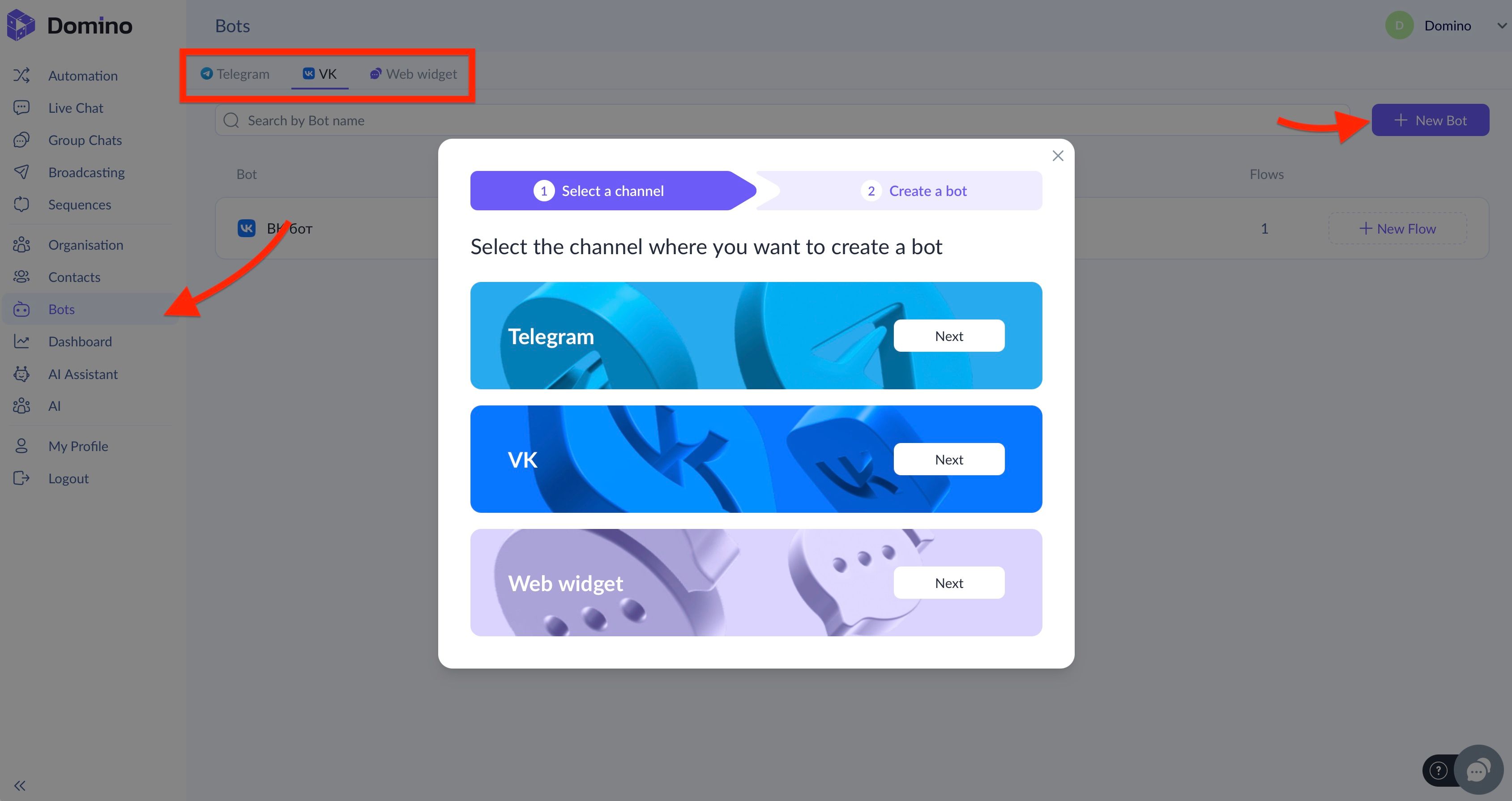
In the ‘Bots’ section, you will now find three tabs for chatbots: VK, Telegram, and website widgets.
No matter which tab you are in, simply click ‘+ New Bot’, choose VK, and follow the clear step-by-step instructions to launch the bot and connect it to your community.
2. Easy Flow Setup for VK Chatbots
Once the bot is created, setting up a flow for it is straightforward. In the ‘Automation’ section, select the tab corresponding to your VK bot and click ‘+ New Flow.’
You can either create your own flow from scratch or choose one of five ready-made templates for further editing:
- Shopper’s Assistant;
- Delivery Support;
- Application Collector;
- Hotel;
- Online School.
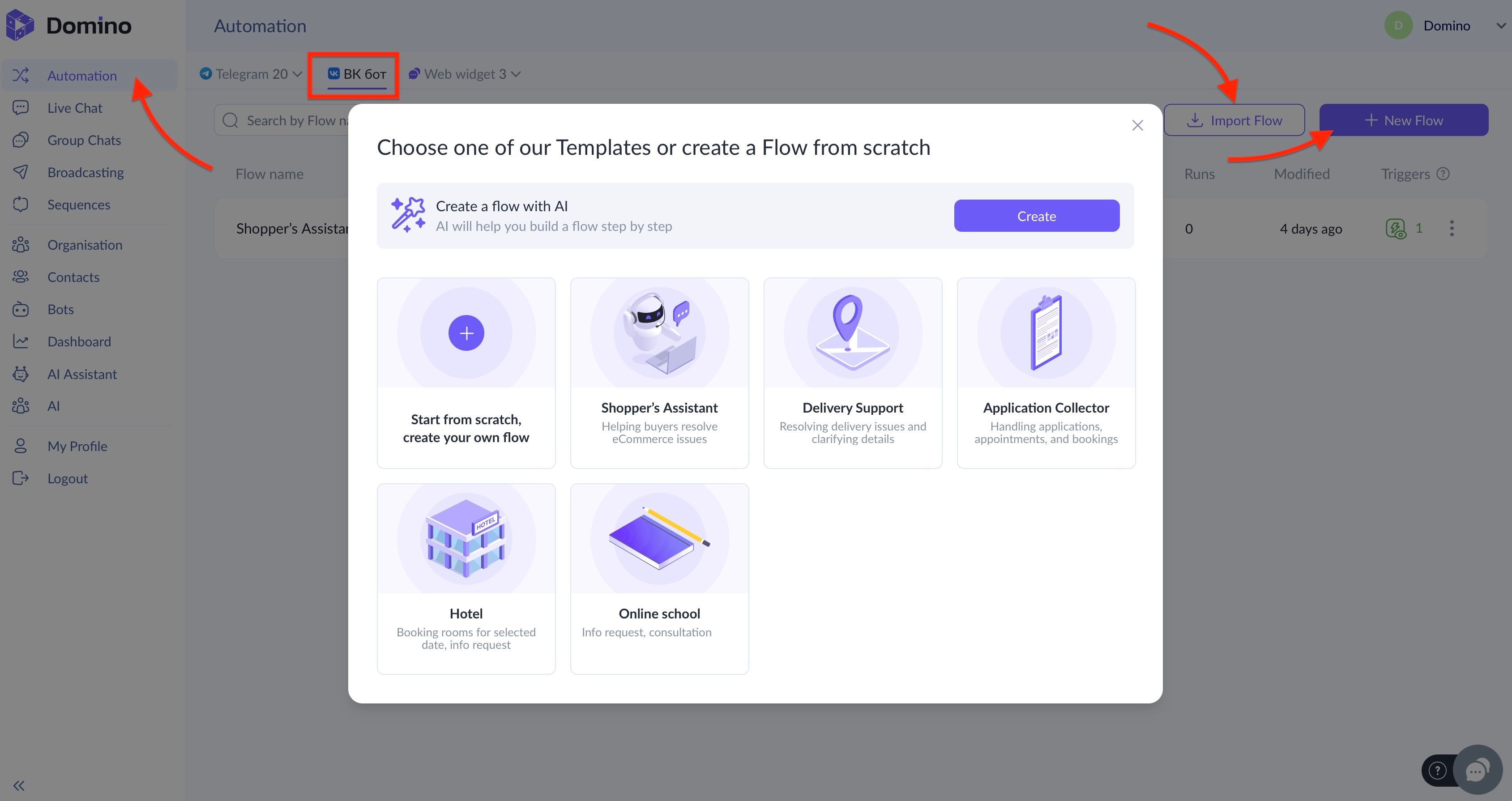
Of course, VK chatbots also support options to delegate flow creation to AI or import a flow for VK that you created elsewhere.
By the way, when working with VK, TG, and web widgets, flows can even be created without a bot.
3. Creating Highly Engaging Flows for VK Chatbots
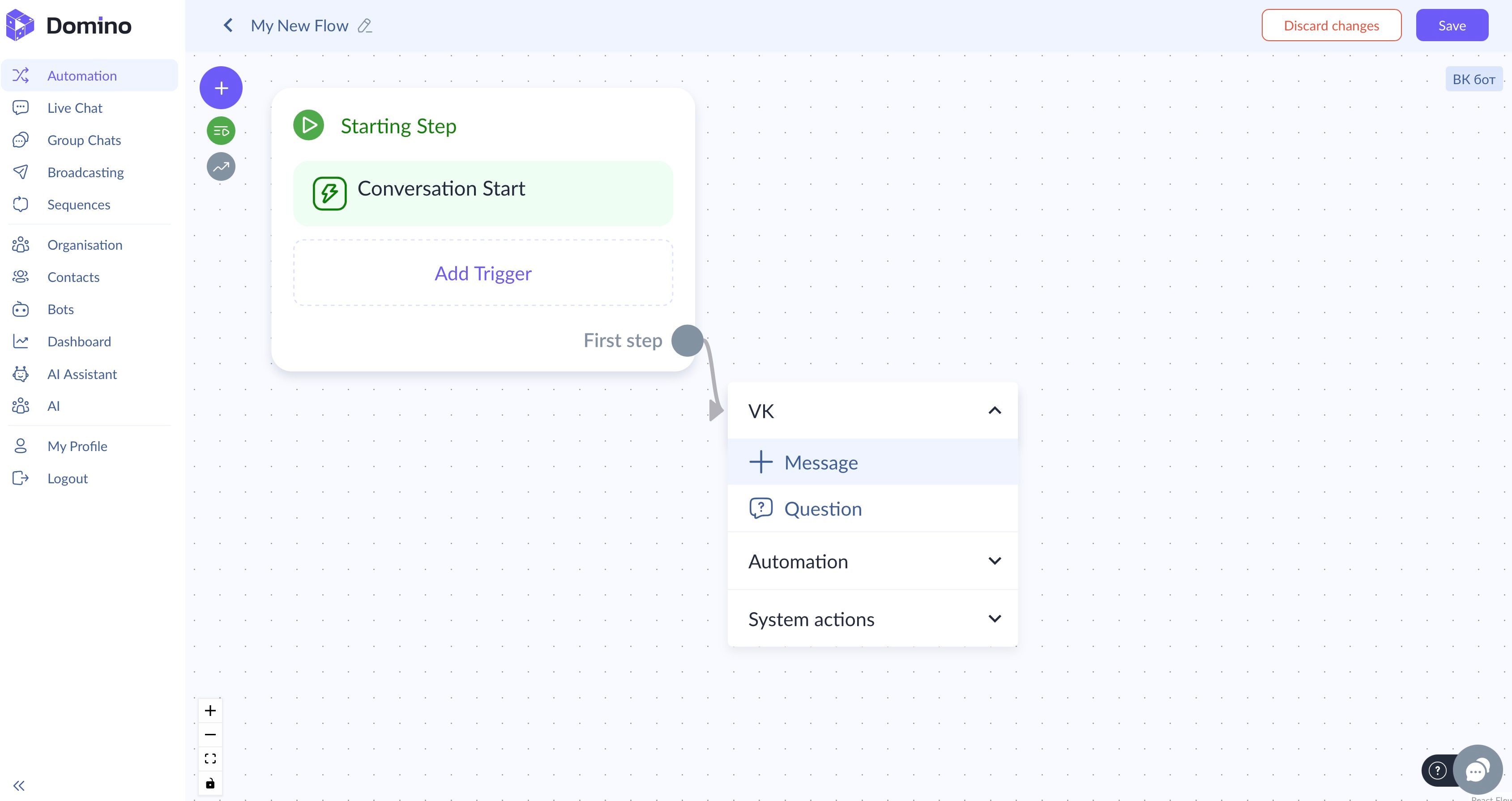
The Domino CRM builder currently offers two core nodes for VK:
- Message — the user responds by clicking one of the available button options;
- Question — the user can provide a free-form response, which will be stored in the field you specify.
You can also send and receive files within these conversations.
In addition, the following node types are available for VK bot flows:
- Automation: Sequence and AI assistant;
- System actions: Set value, Insert into array, Get from array, Calculations, Start flow, Condition, Assignment, HTTP request, and Delay.
4. Sending Mass Broadcasts Through a VK Bot
To send broadcasts through a VK bot, go to the ‘Broadcasting’ section, open the VK Bot tab, and click ‘Create Broadcast.’
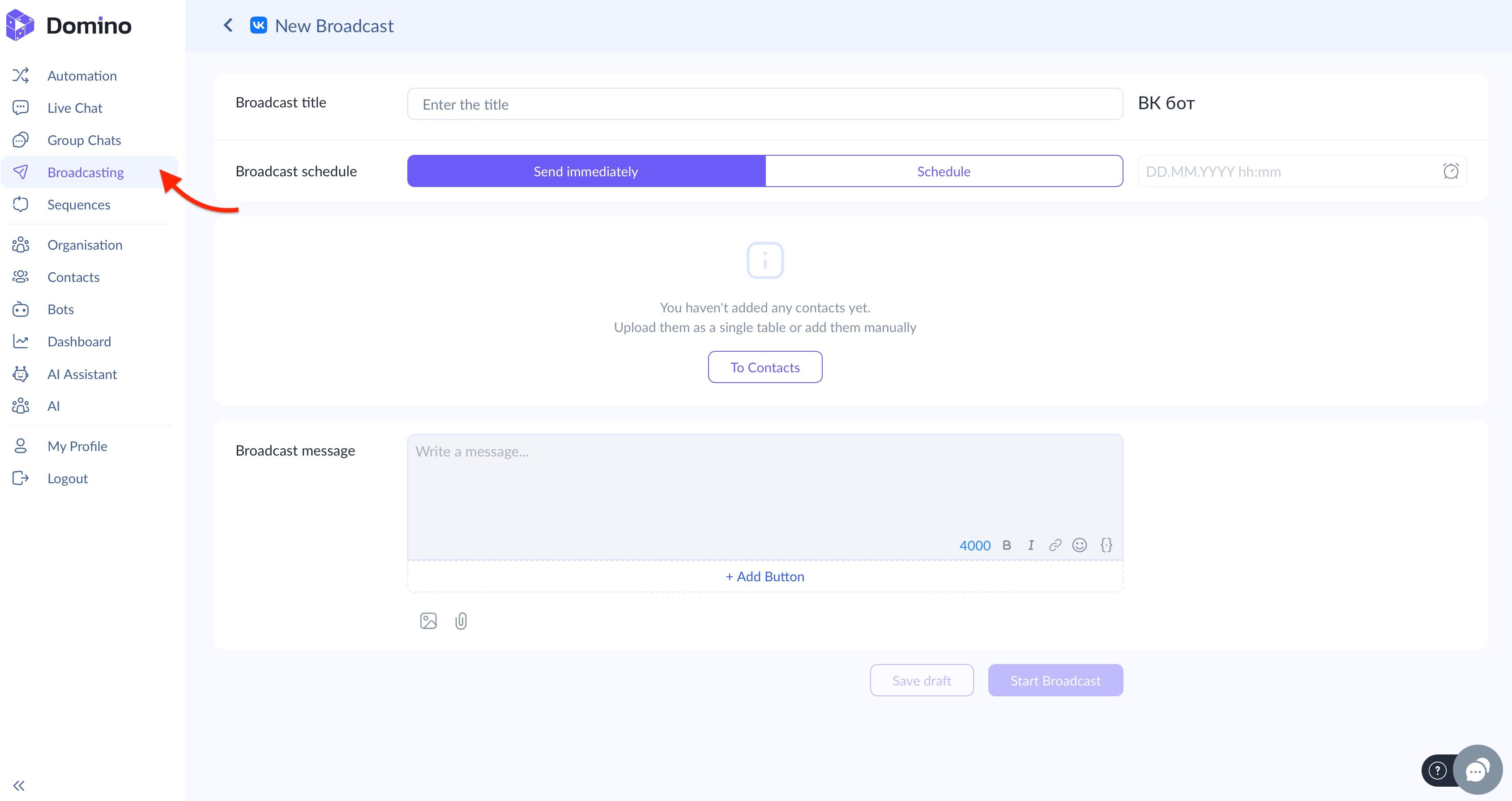
Next, specify the title, define the sending time (immediately or on a timer), and add the message along with a button containing either a trigger or a redirect link.
Similarly, you can create mass broadcasts for bots operating via web widgets, in addition to TG.
5. Multichannel Sequences
Multichannel support is also implemented for automated sequences, which you can use to build automated funnels.
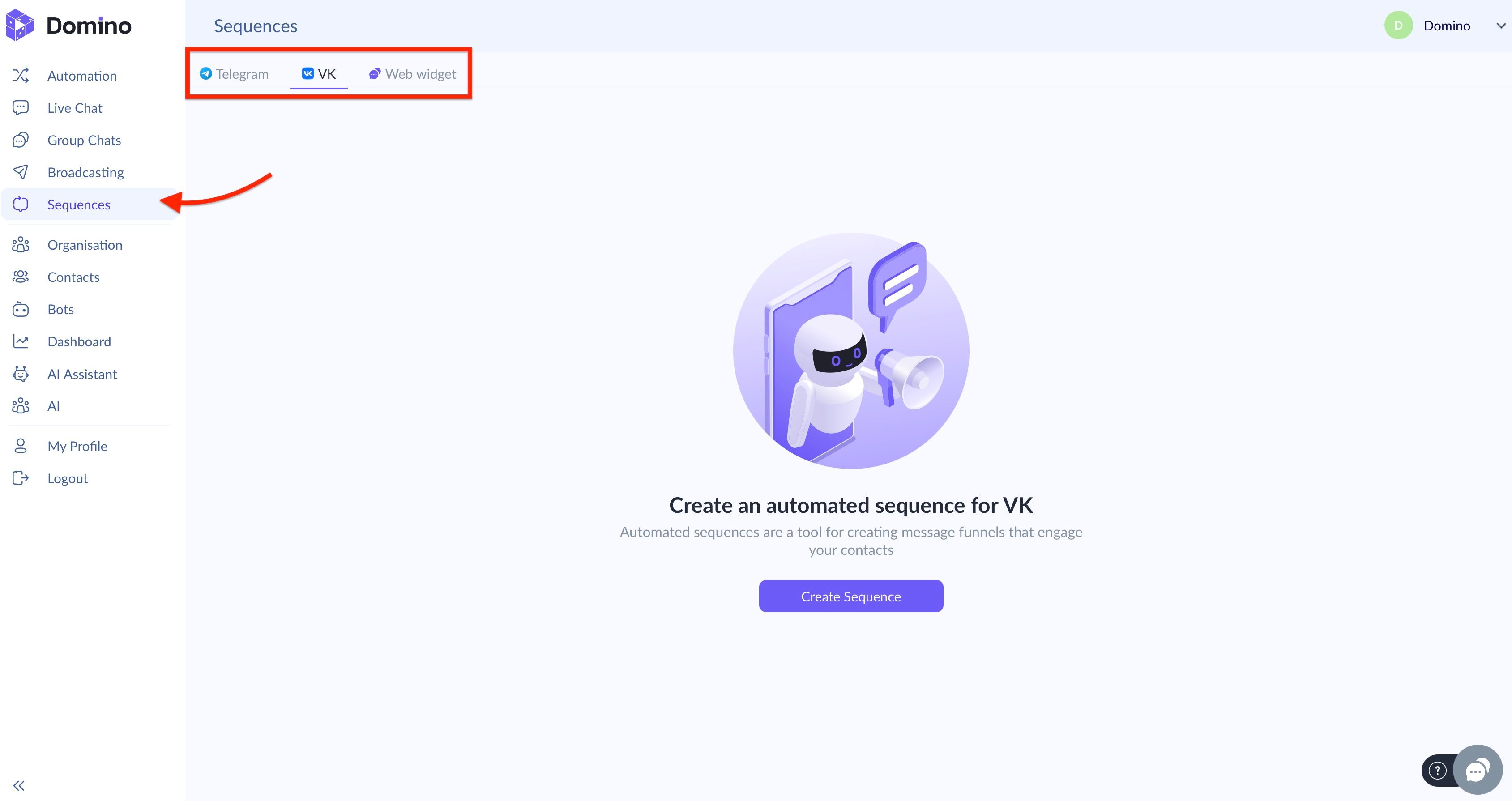
The full set of channels now includes Telegram, VK, and web widgets.
We will soon share more detailed information about all the updates. Stay tuned and choose Domino CRM for your chatbots.
You May Also Like

How to Create a VK Chatbot? Easy with Domino CRM
How to Create a VK Chatbot: A Step-by-Step Guide

Creating a Business Chatbot with the Domino CRM Builder
How to launch a business chatbot without development