


January 12,2026
Telegram Chatbot for Answering Customer Questions
What the article is about: how the AI Assistant in Domino CRM is used to automatically answer customer questions via Telegram bots. It works based on a prompt and a knowledge base, is embedded into a flow, and can hand the conversation over to a human manager when needed.
In the previous article, we took a detailed look at how Domino CRM chatbots help ask customers questions and collect data for business needs. Today, we focus on the other side of the conversation. How to provide answers? For this purpose, the Domino CRM Telegram bot builder includes a dedicated smart node: the AI Assistant.
What does the AI Assistant do in Domino CRM?
The AI Assistant is a node in the Domino CRM Telegram chatbot builder that automatically answers user questions based on a prompt and a knowledge base, without involving a human manager.
How does the AI Assistant work in a Telegram bot?
- You create an AI assistant responsible for answering questions at a specific point in the flow;
- You upload data for it to use;
- You place the AI Assistant node in the required part of the flow;
- You delegate customer questions to the assistant, saving time, effort, and costs.
Here is how this idea works in practice.
Creating a chatbot for answering questions
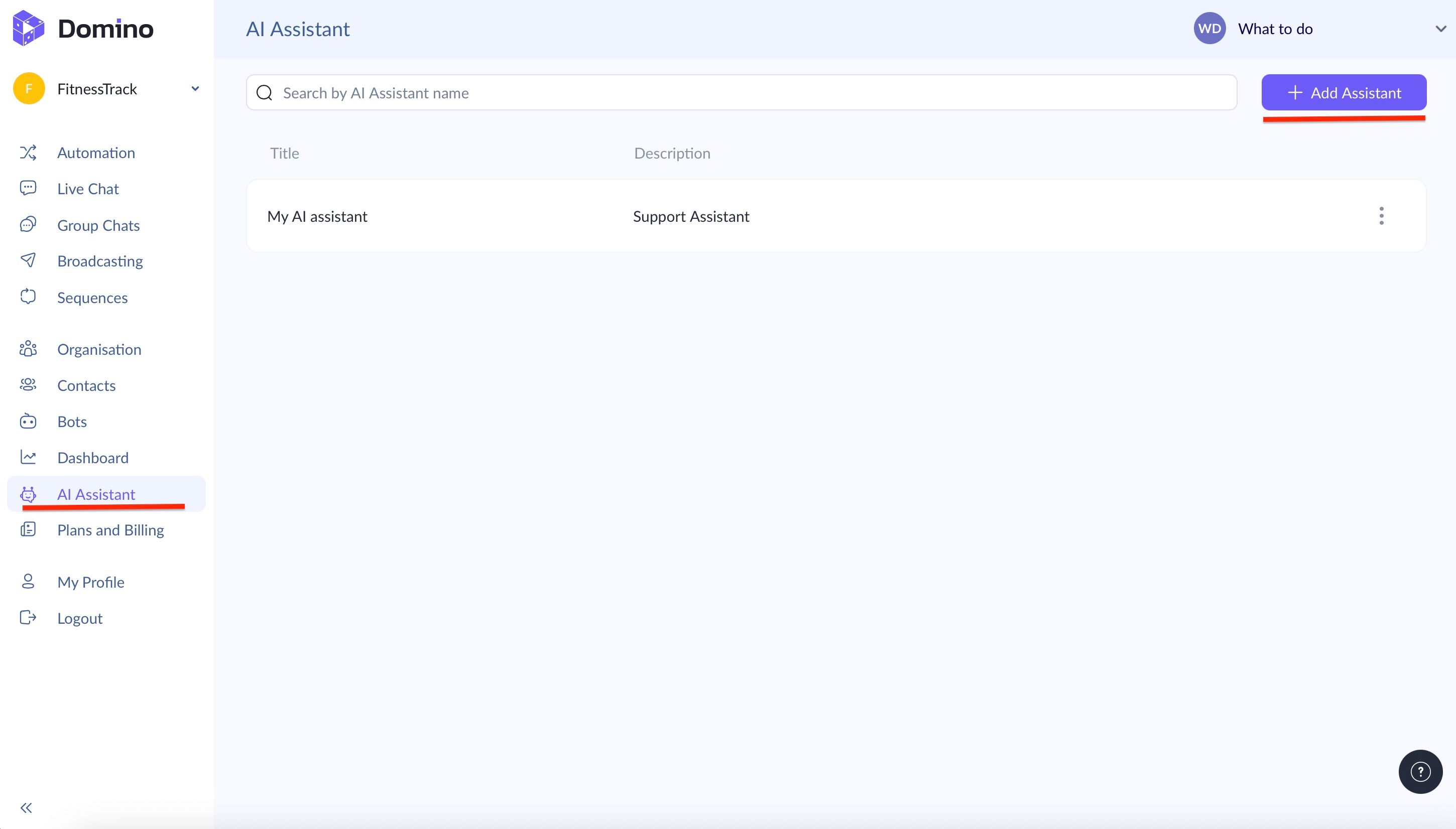
In your Domino CRM dashboard, go to the ‘AI Assistant’ section and click ‘+Add Assistant’.
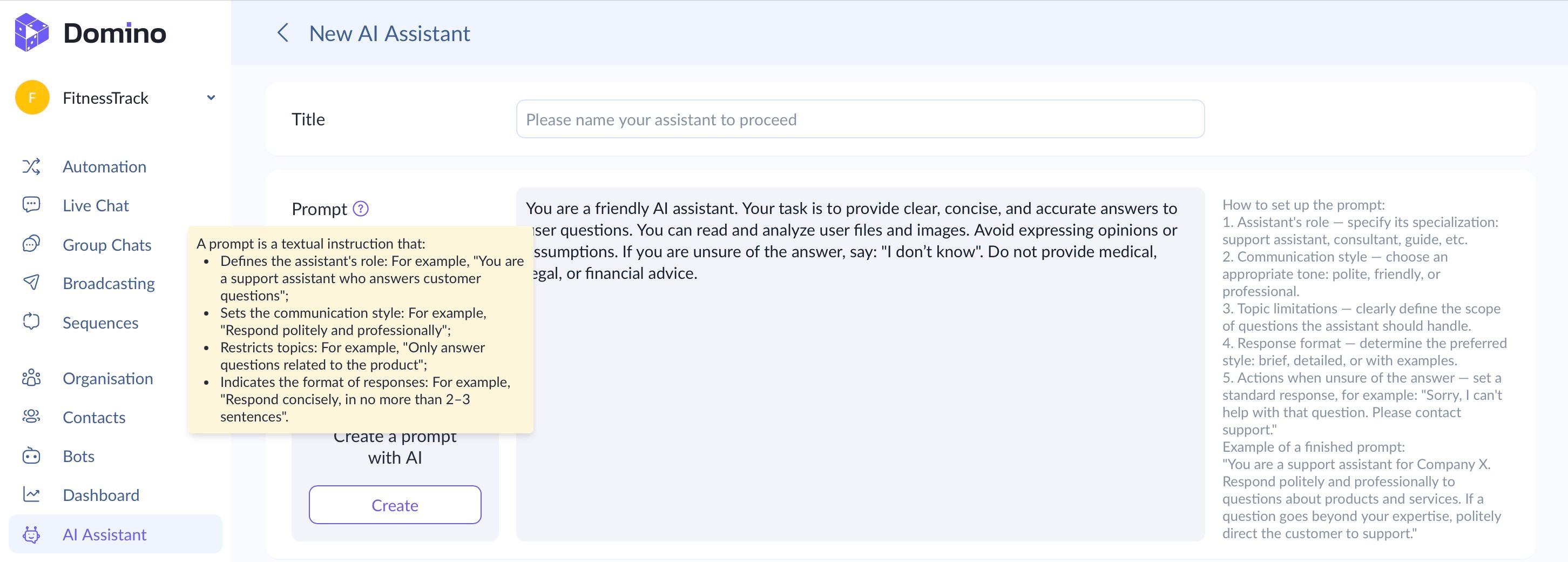
First, you need to set the assistant’s name and define a prompt, i.e., a text instruction that determines its role, communication style, and response rules.
In the prompt, you can specify:
1. The assistant’s function (for example, a support agent or a sales consultant);
2. The desired TOV (friendly, professional, you name it.);
3. Allowed topics and restrictions;
4. Response format and behavior when information is missing.
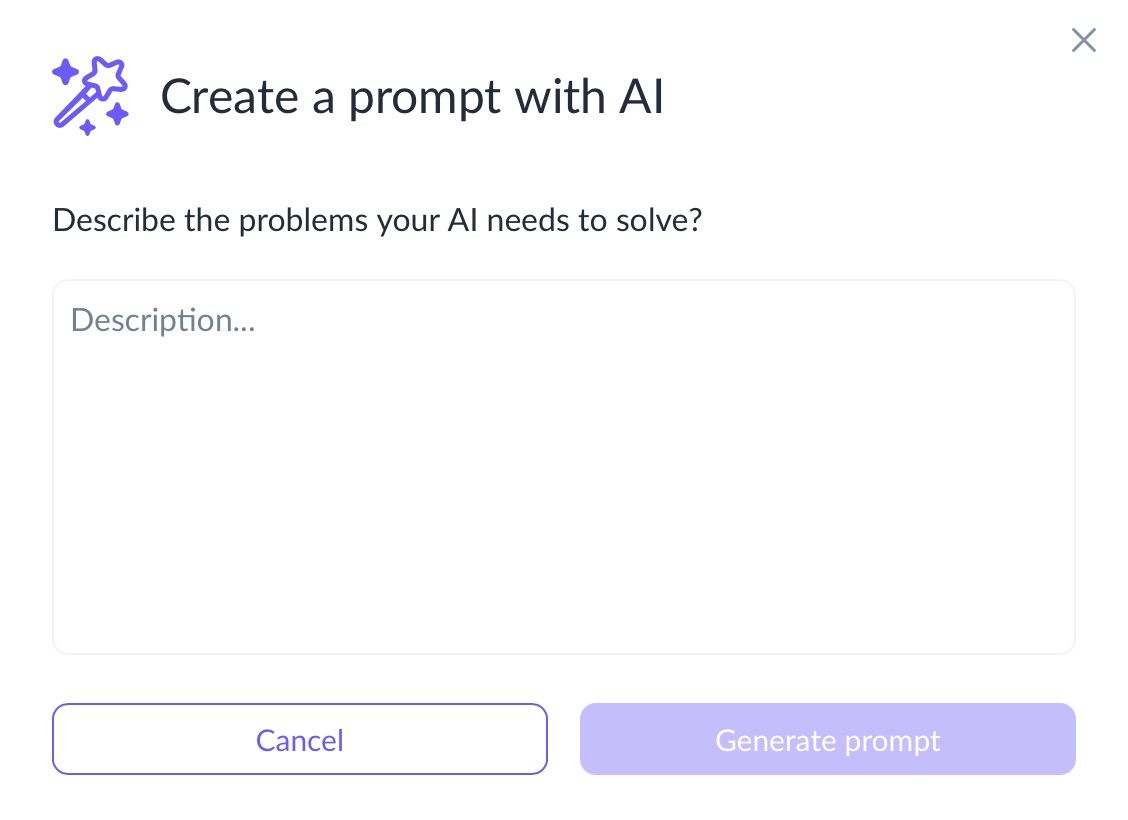
Domino CRM also offers an option to generate a prompt using AI. Click ‘Create prompt with AI’, and a text window will open where you can provide all the details needed to generate the prompt. The more information you provide, the better the chatbot will understand its role.
Below the prompt, you’ll find the following settings:
- Temperature — a parameter that affects how varied the responses are. Higher values make answers more flexible and creative. For most business use cases, a moderate value is recommended.
- Knowledge base — a text field for entering information in a question-and-answer format. The assistant relies on this data when generating responses. The more structured and accurate the knowledge base, the more consistent and reliable the answers.
- Knowledge base files — an option to upload ready-made materials such as instructions, policies, presentations, or documents. The assistant uses the content of these files when answering questions in Telegram.
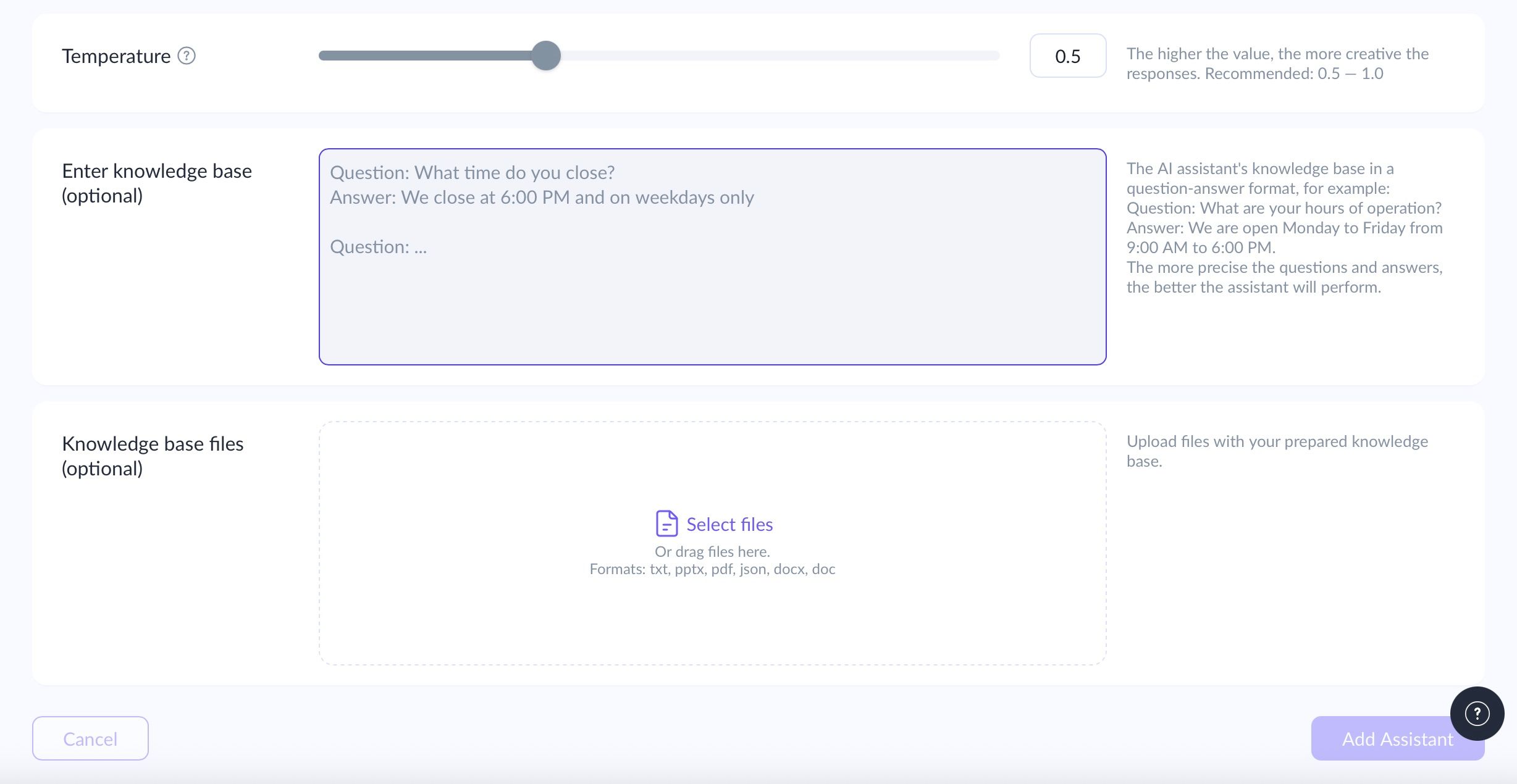
Once everything is ready, click ‘Add Assistant’. Then go to the ‘Automation’ section and open the required flow. Add the ‘AI Assistant’ node to it.
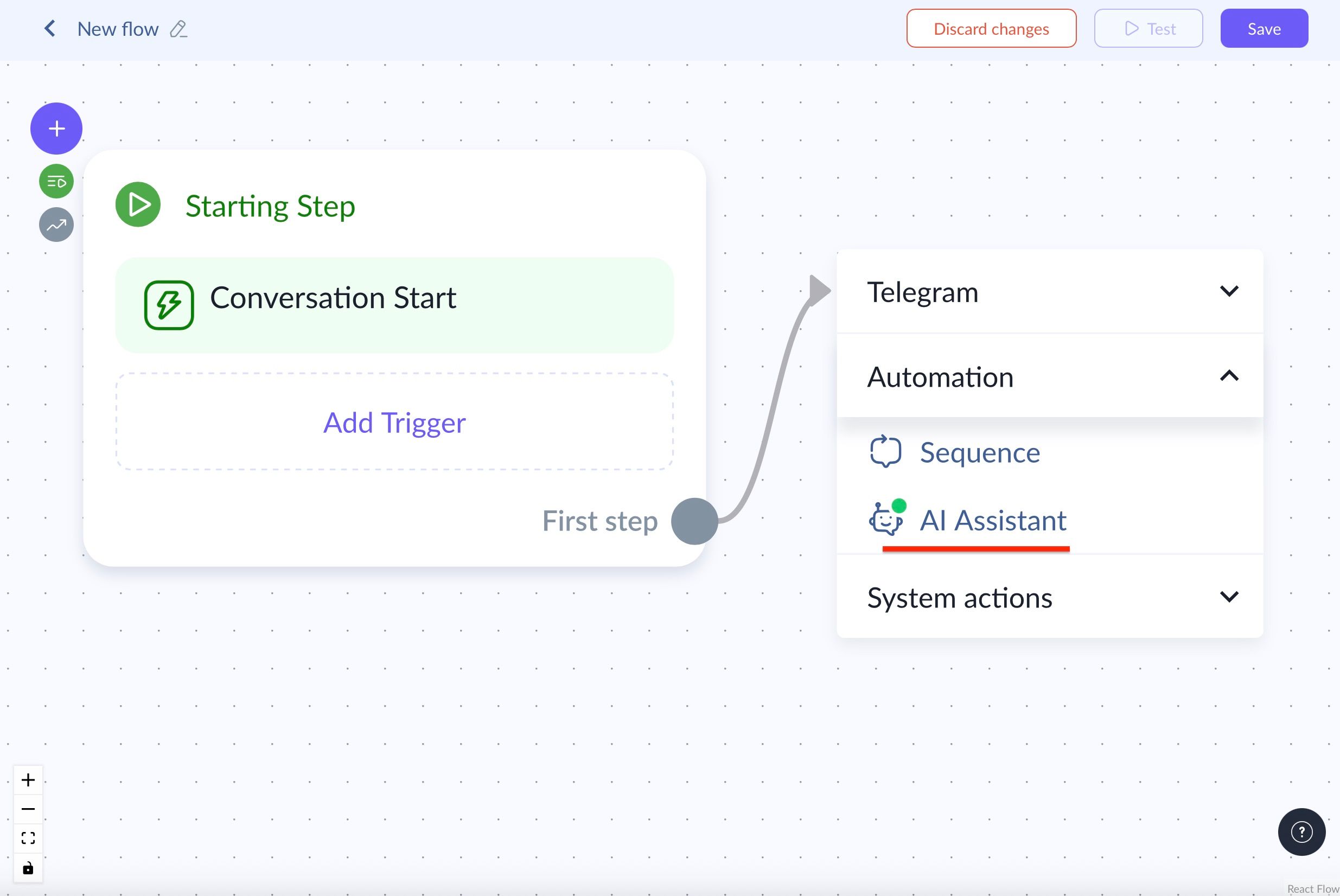
Then select the previously created assistant from the dropdown list.
Next, configure the node parameters:
- Welcome message — the text that starts the conversation;
- Final question — used to confirm whether the answer was helpful;
- User response options;
- Whether to connect a human manager.
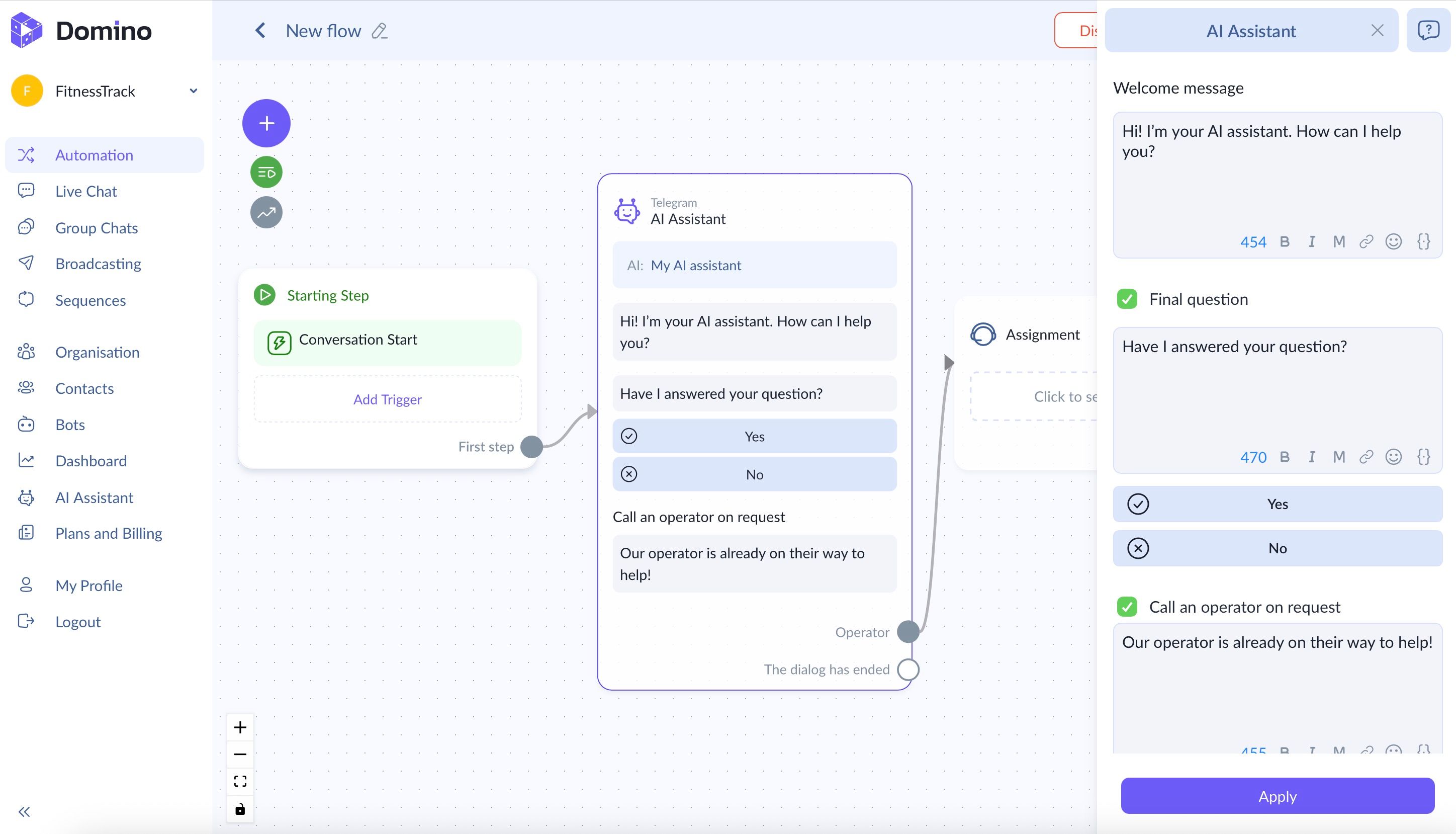
Apply the changes. From this point on, the AI Assistant will answer user questions within the selected Telegram bot flow.
You May Also Like

Telegram Chatbot Statistics: Where to Find Data in Domino CRM
Where to find Telegram chatbot statistics in Domino CRM

Telegram Question Chatbot: How to Collect Data from Customers
How can you ask customers questions via a Telegram bot? Exploring the capabilities of Domino CRM