


December 24,2025
Telegram Question Chatbot: How to Collect Data from Customers
Summary: How to use message and question nodes in Domino CRM, and how to save responses in contact, flow, and bot fields. An overview for those who want to ask many questions via a Telegram bot.
Information is the foundation of any business. Without understanding what an individual customer, an entire segment, or your whole target audience wants, success is impossible. And the simplest way to obtain the necessary data is to ask directly.
Domino CRM offers two tools for creating Telegram chatbots designed for asking questions:
- Flow nodes with messages;
- Flow nodes with questions.
So, how can you ask a customer a question via a Telegram bot using these tools?
Message Node for Asking Questions in Telegram via a Chatbot
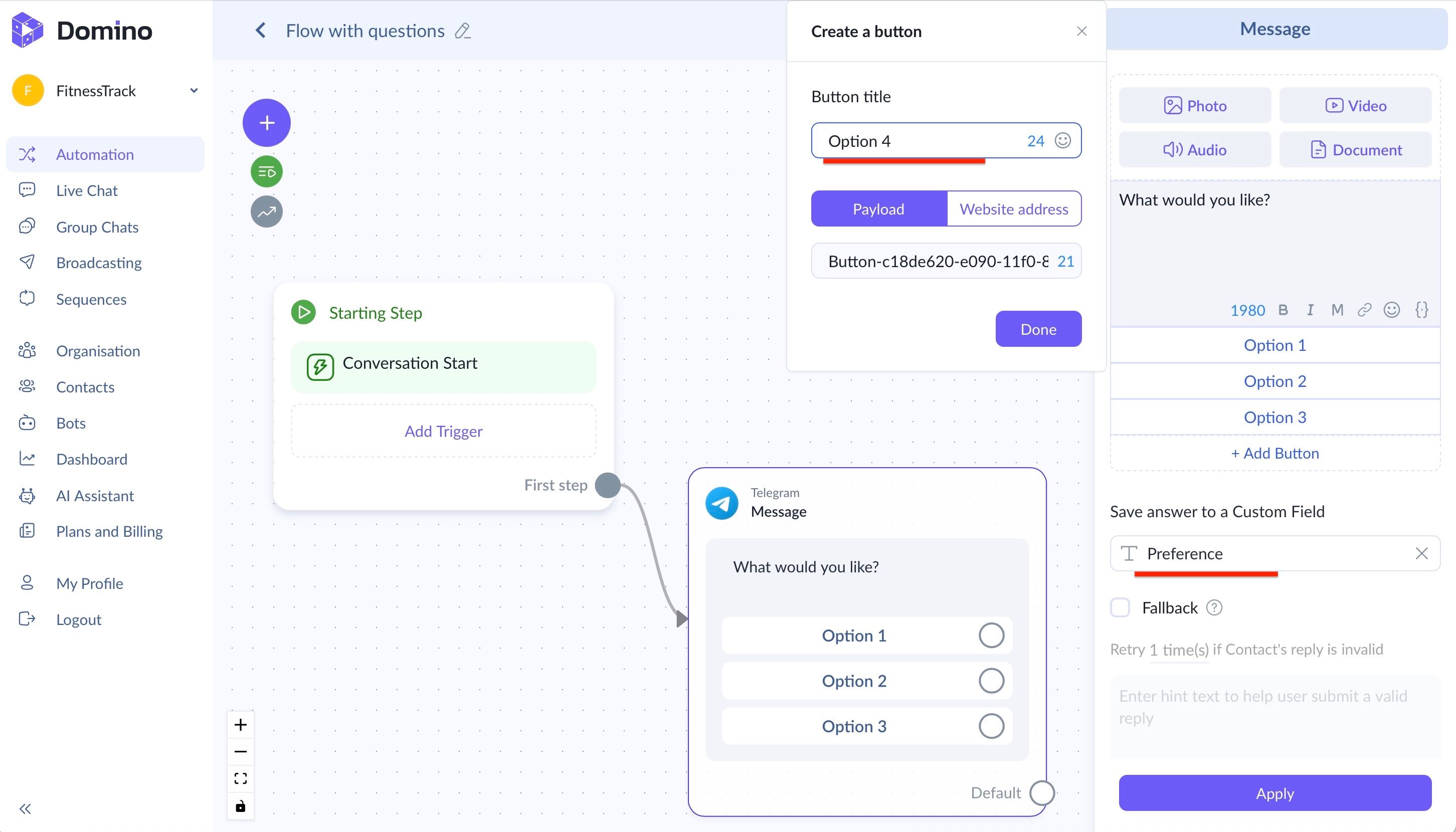
This node allows you to ask a question to a potential customer, offer predefined answer options, and save the selected response to a contact field. Here’s how it works:
- Add a message node to your flow;
- Define the answer options in the buttons;
- Specify the contact field where the response should be saved.
An example is shown below.
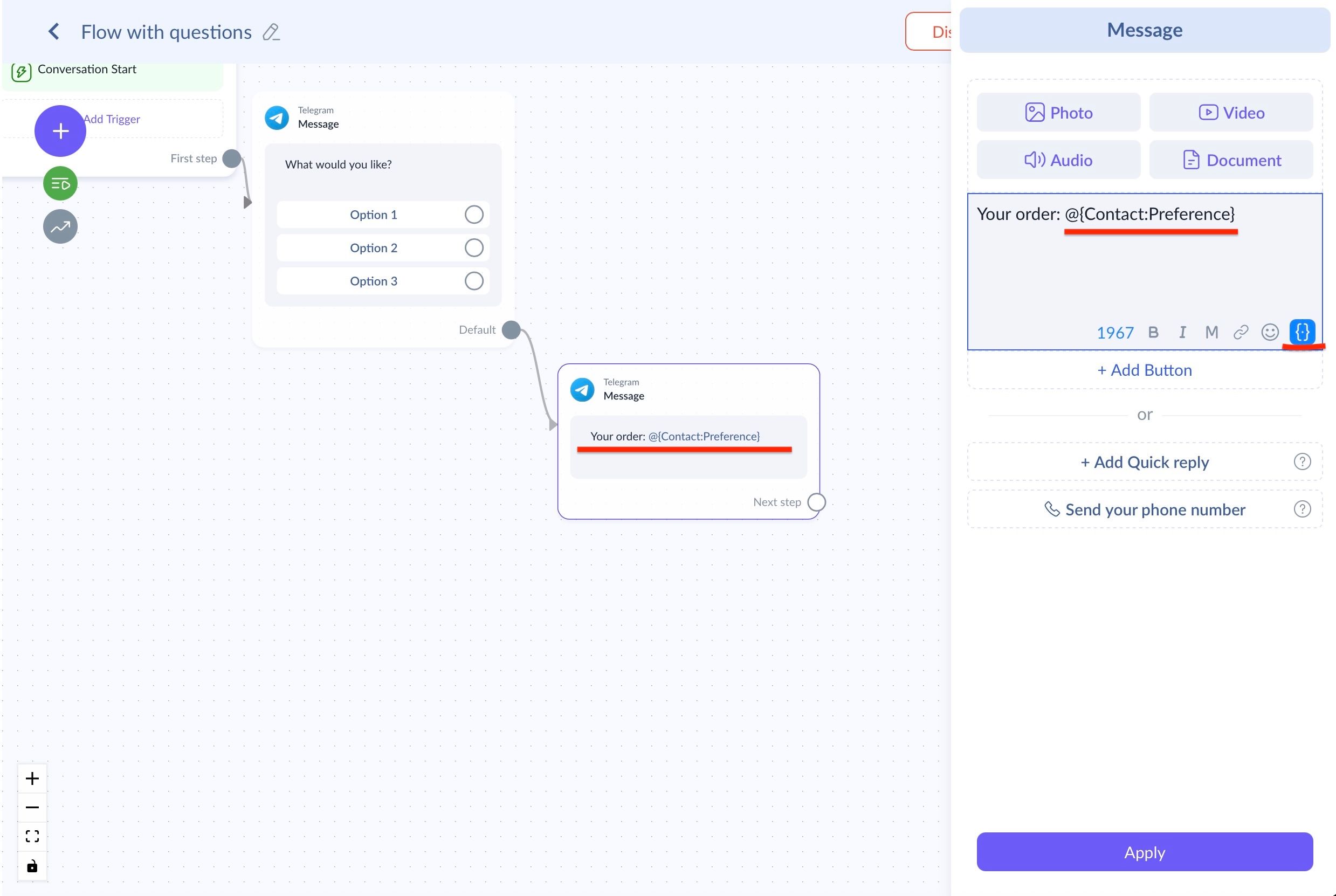
You can later use this response within your flow to work with the customer. To do this, at any subsequent step simply click the curly braces and select the variable that contains the saved answer.
Question Node for a Telegram Chatbot
If you want to receive a detailed response from a user while also defining validation criteria, the question node is the right tool. Below, we show how to integrate it into a Telegram bot flow.
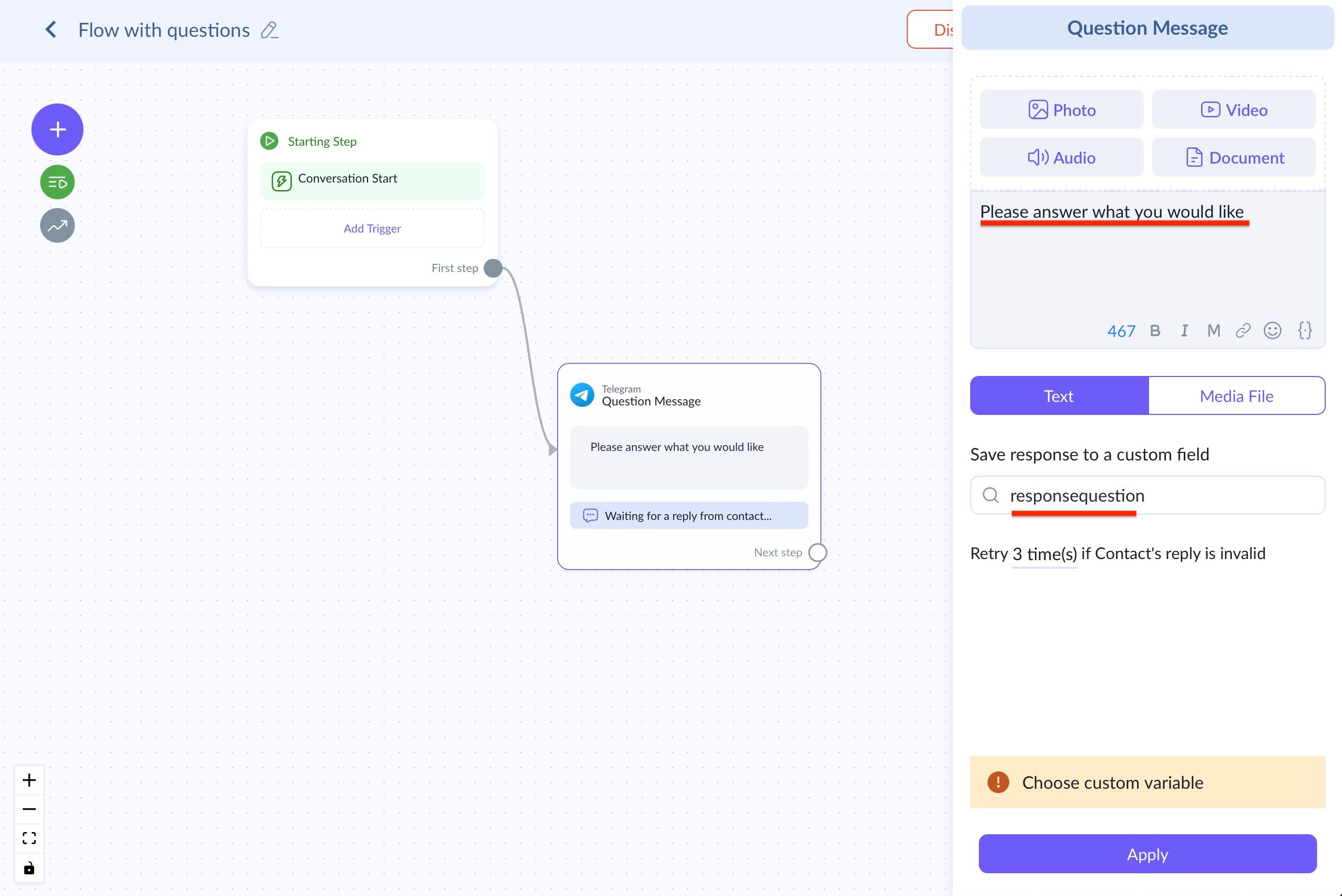
Here, the customer is not restricted in any way when answering the question in Telegram. At the same time, this block allows you to save the response:
- To a contact field;
- To a flow variable.
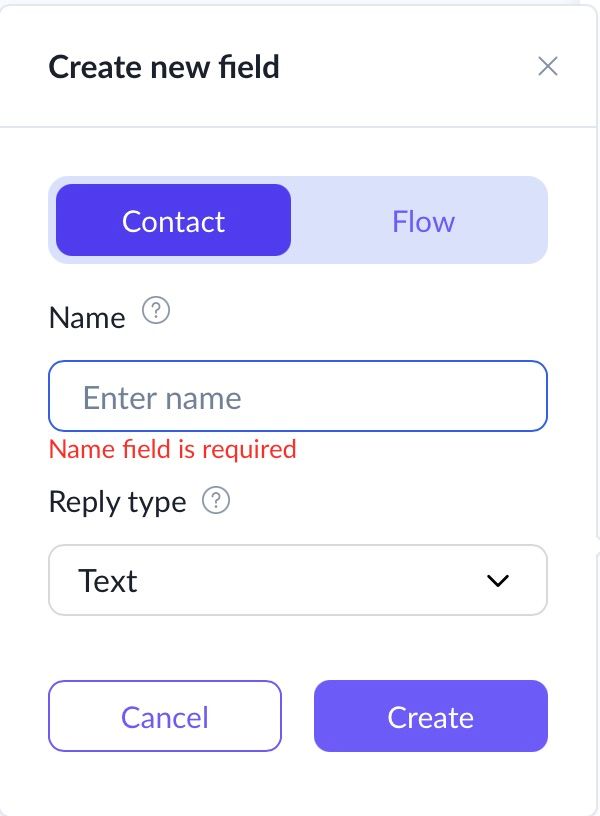
The difference is as follows:
Flow variables exist strictly within a single specific flow. When a contact enters the bot communication process and moves through it step by step, the variable remains active and gradually accumulates values. However, once the flow is completed, access to this variable is lost. In other words, its value is automatically reset and cannot be used later.
Contact fields, unlike flow variables, work at the company level. It doesn’t matter how many chatbots you have connected for your business: once the system receives information about a contact, it saves it and can reuse it later in any flows and bots.
There is also a third option: bot fields. You can create them via:
- ‘Bots’ →
- Choosing a bot →
- ‘Bot fields’ →
- + ‘New field’
These fields belong to a specific bot and work only within it. At the same time, they are convenient to use inside their 'native' bot, i.e., in flows, automated messages, and broadcasts sent by that bot.
Overall, Domino CRM gives you everything you need to build a Telegram chatbot for asking questions. Use these tools to collect data and grow your business. If you run into any issues, our support team is always here to help.
You May Also Like

Telegram Chatbot for Answering Customer Questions
How to automate replies in a Telegram chatbot with your AI Assistant

How to Set Up a Telegram Broadcast in Domino CRM: Targeting Filters
A step-by-step guide on how to create a Telegram broadcast in Domino CRM and select your audience using groups, contact data, and custom contact fields.