


January 20,2026
Telegram Chatbot Statistics: Where to Find Data in Domino CRM
Telegram chatbot statistics help businesses understand how users interact with flows, messages, and automated funnels. In the Domino CRM dashboard, all key metrics required to analyze the performance of Telegram bots are available. In this piece, we explain where exactly to find these statistics and what data is available in the platform interface.
General Telegram Chatbot Statistics
The ‘Dashboard’ section, as its name suggests, is the most informative one. Currently, the Domino CRM chatbot builder collects statistics across five key areas:
- Statistics on group chat moderation powered by the ‘Anti-Spam’ and ‘Profanity’ filters;
- Statistics on contact subscriptions to your company’s bots;
- Statistics on UTM tag clicks;
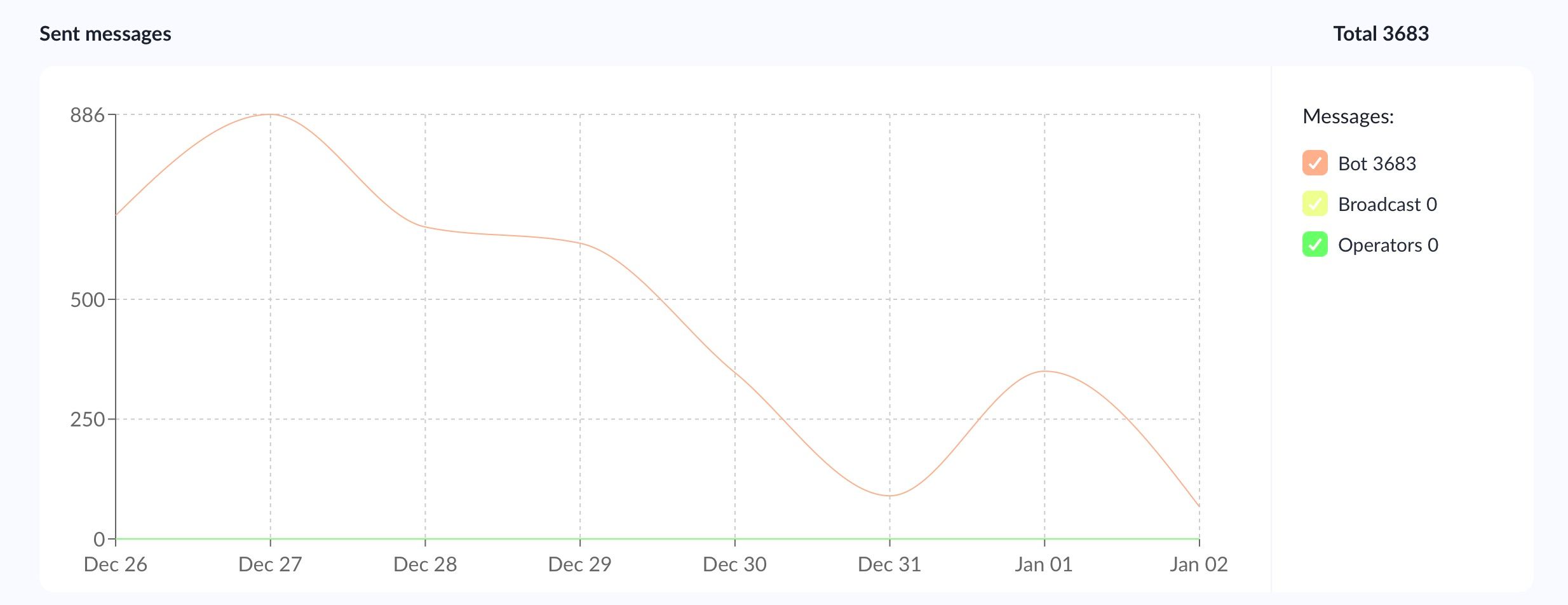
- Statistics on sent messages, with data aggregated from three message sources: bot messages, broadcasts, and operators;
- Overall statistics on all messages sent and received.
All metrics are visualized as numerical indicators in the information panel on the right, as well as in charts that you can hover over to view a more detailed breakdown of the statistics.
Chatbot Flow Launch Statistics
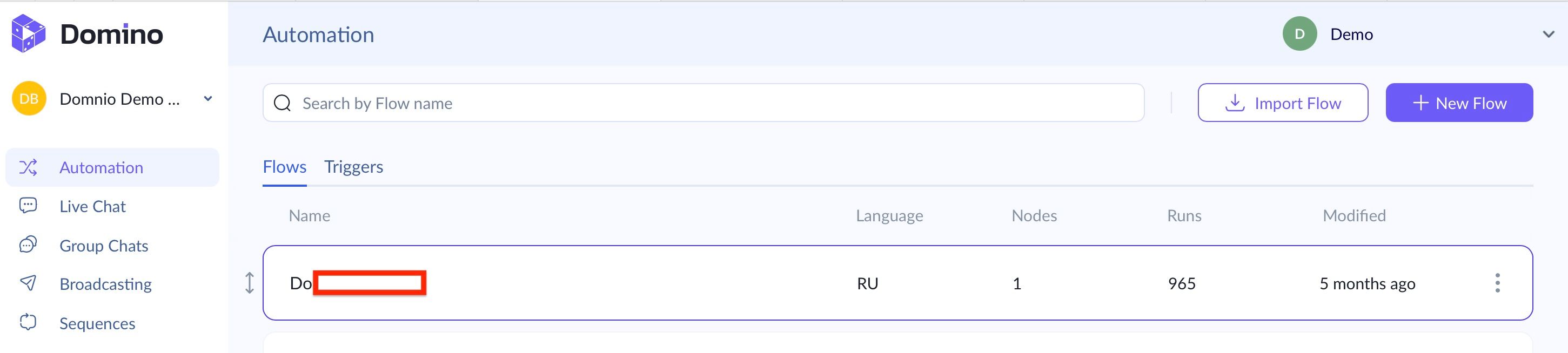
In the ‘Automation’ section, you can immediately see a dedicated column labeled ‘Runs,’ which shows how often each flow has been activated.
Automated Sequences and Funnel Statistics
Automated ‘Sequences’ are chains of messages triggered at specific points within a flow. They are a key tool for building automated sales and service funnels in Domino CRM. Naturally, you need statistics that show how successfully (or unsuccessfully) users move through these funnels, and the chatbot builder provides this data.
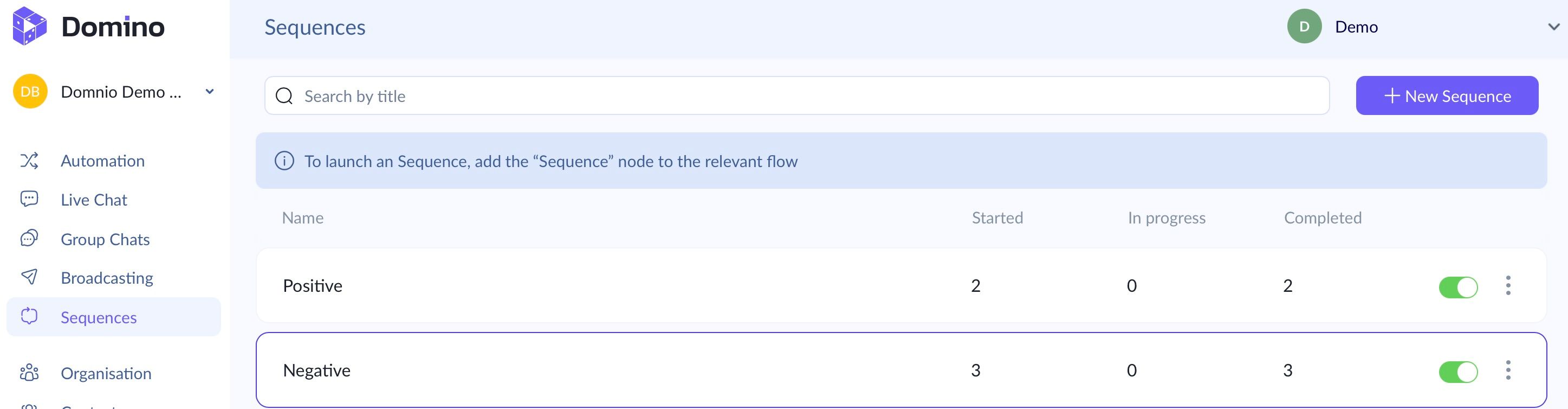
When you open the ‘Sequences’ section, you can immediately see:
- How many users have entered the funnel;
- How many are currently in progress;
- How many completed the funnel from start to finish.
Link Click Statistics in Chatbot Flows
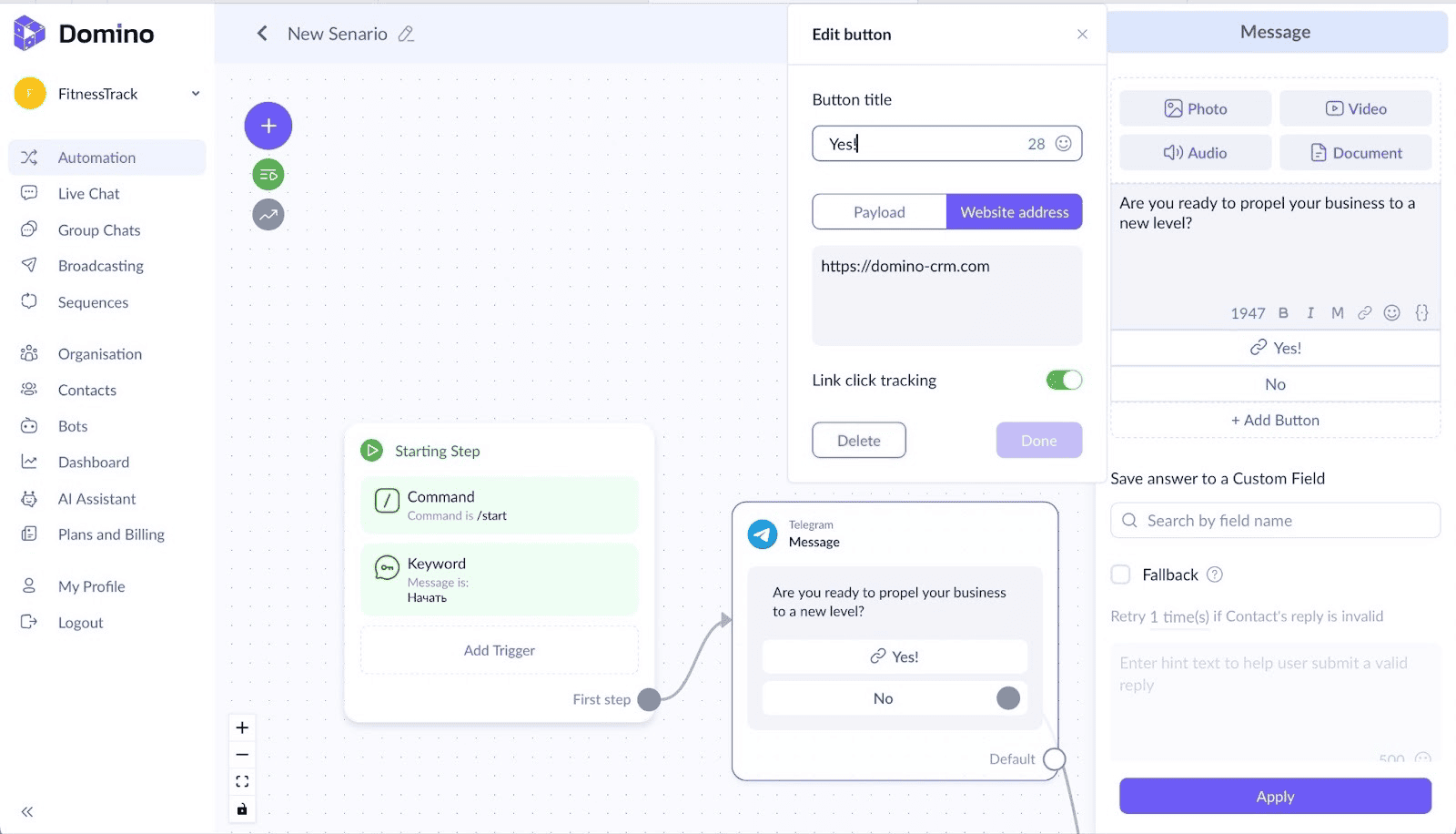
Finally, Domino CRM allows you to enable link click tracking. If a chatbot flow presupposes that a user clicks a button with a link and navigates to a specific page, simply click the arrow icon. Then, our chatbot builder will start displaying statistics for these link transitions, as shown below.
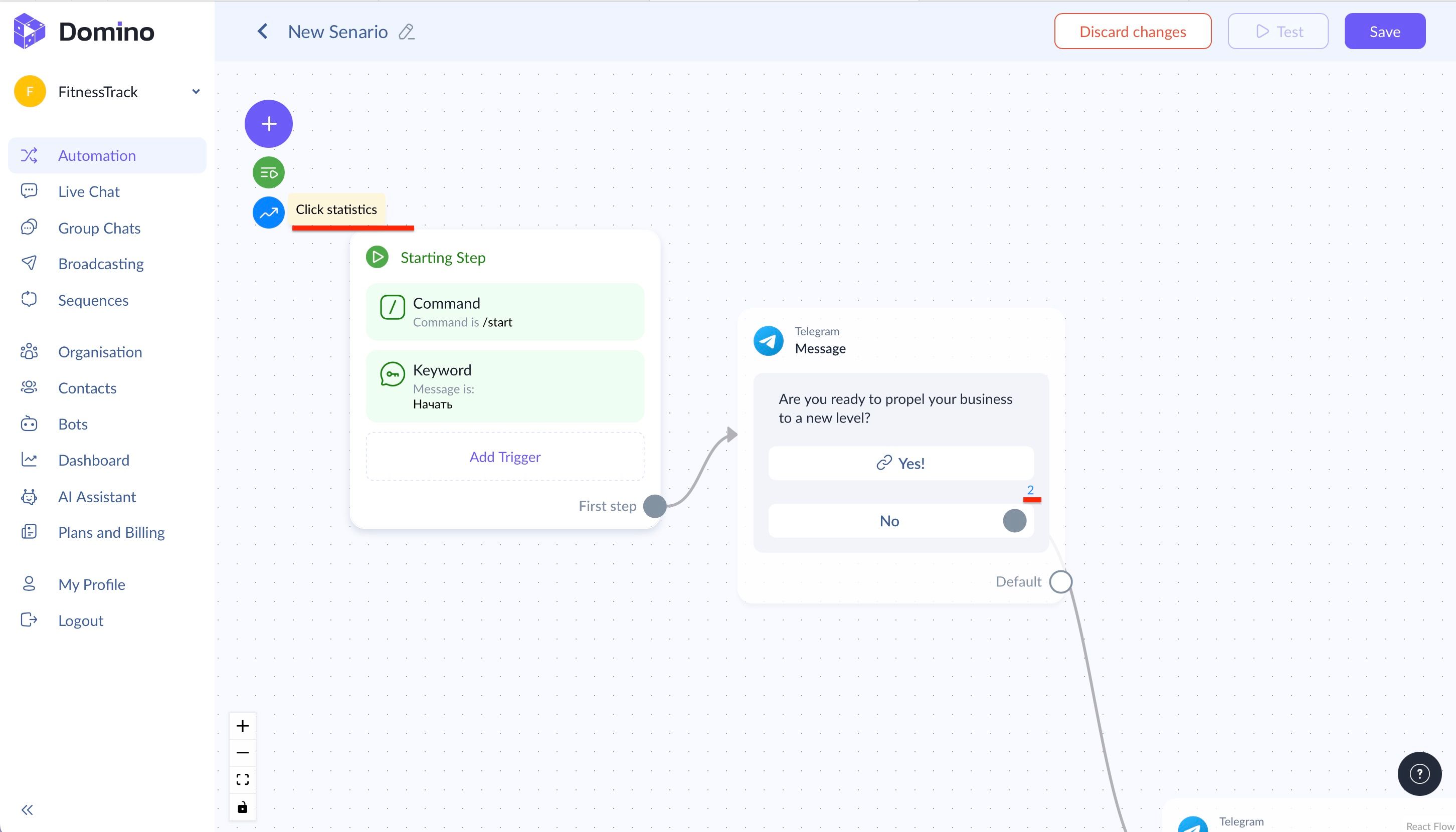
Important: to enable link click statistics, the button must be of the 'Website address' type. Link click tracking must also be enabled.
Thus, Domino CRM provides a complete set of Telegram chatbot statistics, from overall metrics and flow launches to auto broadcast analytics and link click tracking, making it possible to monitor the effectiveness of every stage of user interaction.
You May Also Like

How to Create a Chatbot for a Retail Store Without Coding
Chatbots for Retail Stores: Boost Sales and Simplify Shopping with Domino CRM

Telegram Chatbot for Answering Customer Questions
How to automate replies in a Telegram chatbot with your AI Assistant