


January 27,2026
How to Create a Chatbot for a Retail Store Without Coding
A chatbot for a retail store is a highly effective solution. Smart and flexible by design, this tool helps businesses save resources, increase sales, attract new customers, and stay connected with their existing audience.
And it is not limited to online stores. A single physical shop (for example, a specialty or craft store) or an entire retail chain can benefit just as much from having a chatbot.
A retail chatbot can, for example:
- Process orders that involve product reservations and warehouse delivery;
- Send reminders and notifications about discounts and promotions;
- Run giveaways among customers subscribed to the store’s channel or group;
- Arrange delivery to homes or offices remotely, etc.
Overall, a chatbot is a highly valuable sales and communication channel for retail. Compared to building a mobile app or relying on marketplaces with their commission fees, a chatbot that can be set up in minutes is also a far more cost-effective option.
Today, the Domino CRM team explains what functionality our chatbots offer specifically for retail businesses.
Spoiler: everything retail stores need is already there.
Why Retail Stores Choose Chatbots
Modern shoppers, most of whom make purchases from their smartphones, expect speed and convenience from retailers. They no longer want:
- Phone calls;
- Long waits for a response from support agents;
- Complex and time-consuming forms;
- Other relics of the past.
Advanced chatbots solve this problem by moving communication into familiar messengers and social networks. As a result, a chatbot becomes a universal, reliable, and affordable ‘external interface’ for a retail store that:
- Works 24/7 without fatigue, breaks, or errors;
- Handles standard requests, from product availability and pricing to order status and delivery terms.
Taken together, this significantly reduces the workload on in-house staff. In addition, chatbots help retailers build a more structured and consistent approach to customer relationship management.
How a Chatbot Works: Different Roles at Different Stages
A chatbot can support a customer throughout the entire shopping journey:
- Before the purchase, the chatbot helps customers navigate the product range. It shows catalogs, answers frequently asked questions, checks availability, provides pricing, and explains delivery terms. In this role, the chatbot lowers the entry barrier for customers and replaces an in-store sales consultation;
- During the purchase, the chatbot simplifies the checkout process. Customers can reserve products, choose a delivery method, enter an address, and proceed to payment—all without unnecessary steps. This is especially important for impulse purchases, where minimizing friction is critical;
- After the purchase, the chatbot continues to function as a service and upselling channel. It provides delivery status updates, assists with returns and exchanges, collects feedback, and supports upsell scenarios. As a result, the store maintains contact with the customer and increases the likelihood of repeat purchases.
Retail Chatbot Capabilities in Domino CRM
With the Domino CRM chatbot builder, you get access to:
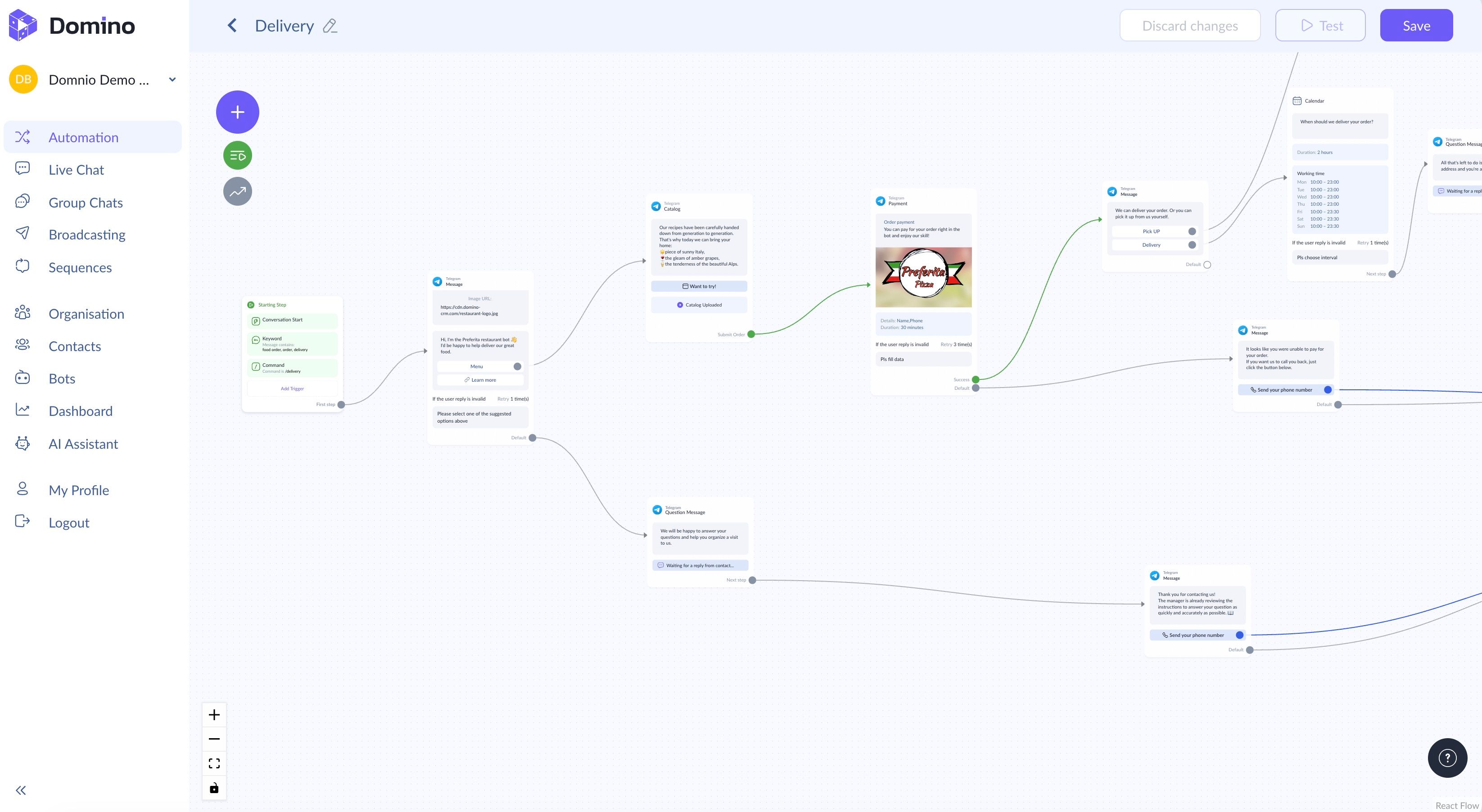
- Product catalog nodes that showcase items with images, pricing, and add-to-cart functionality;
- Instant payment blocks, including the option to issue electronic receipts for fiscal compliance;
- Built-in calendars to quickly coordinate delivery dates;
- A structured contact field system and variable storage for loyalty program logic;
- Scheduled messages for collecting feedback and enabling follow-up sales;
- Tools for large-scale broadcasts and automated messaging sequences across sales funnels;
- An AI assistant that answers customer questions and can seamlessly hand over complex cases to a human manager via the ‘Assignment’ node.
You can combine these and other building blocks in any configuration to match your store’s needs.
How to Quickly Create a Chatbot Flow for a Retail Store
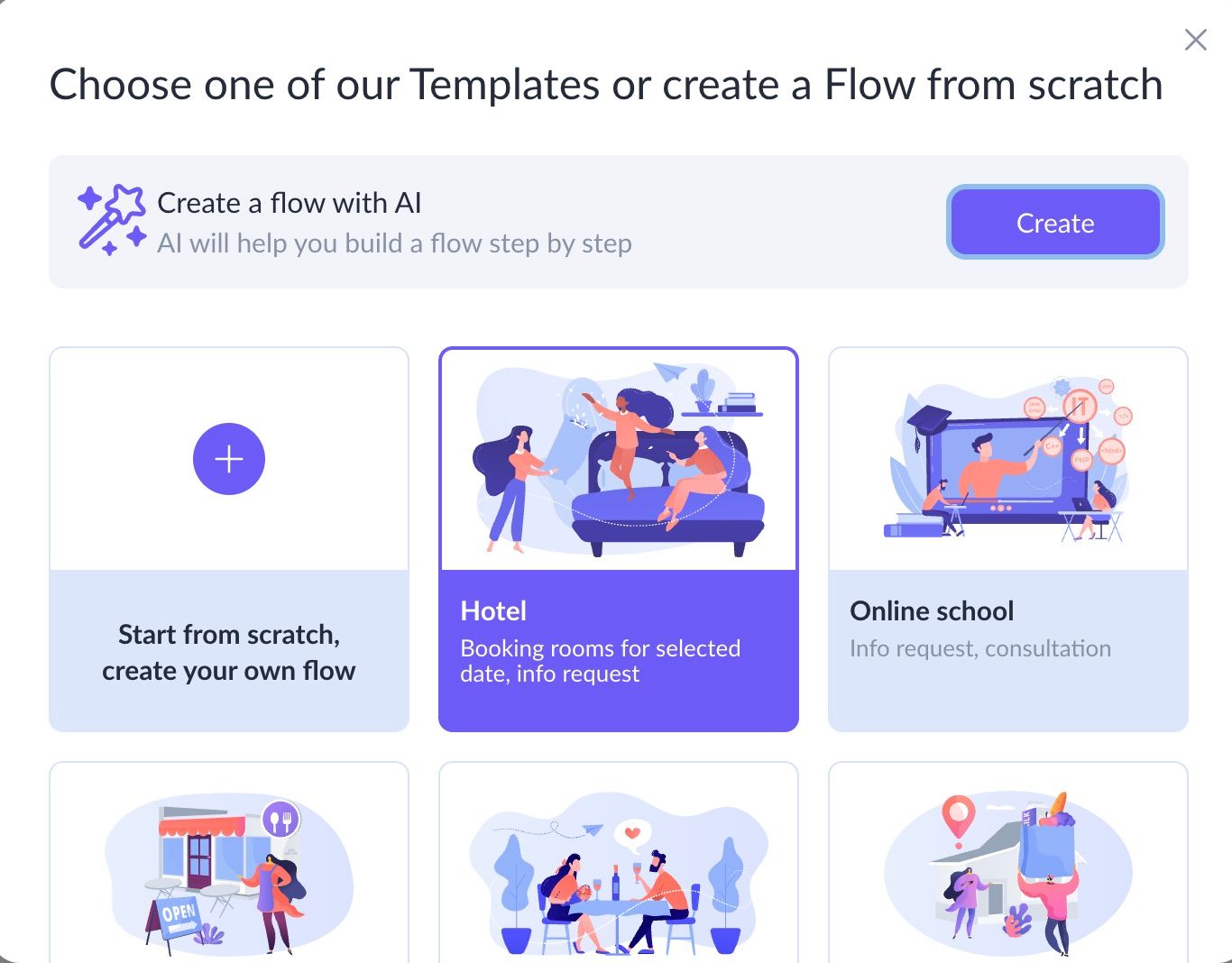
If you need to launch a chatbot as quickly as possible, Domino CRM offers three options after registration. In the ‘Automation’ section, click ‘New Flow’, and then choose one of the following:
- Click ‘Start from scratch, create your own flow’ to build a custom retail flow from scratch;
- Select ‘Create a flow with AI’. In this case, you’ll need to enter your store name, add a link to your website or social media page, and describe your business specifics. You can also choose from ready-made presets, for example, ‘Auto parts and accessories’ from the ‘Auto Service and car care’ category;
- Use one of the ready-made templates and adapt the wording to your store (for example, the ‘Delivery’ template).
In short, if you run an online retail business, the Domino CRM chatbot builder can fully cover your needs, whether used on its own or alongside your mobile app or marketplace presence.
You May Also Like

Hotel Chatbot? Easy with Domino CRM!
Hotel Chatbot: What It Can Do in Practice

Telegram Chatbot Statistics: Where to Find Data in Domino CRM
Where to find Telegram chatbot statistics in Domino CRM