

May 13,2026
Automated VK Sequences: Domino CRM Tips and Best Practices
VK sequences are automated message chains that a chatbot sends to a subscriber after a specific action or event within a flow. Their main purpose is to help businesses stay in touch with subscribers after their initial interaction with the chatbot. With such sequences, you can automatically return customers to the funnel, send materials via VK on a scheduled basis, and generally warm up your audience while maintaining engagement without constant manual involvement from a manager.
For example, a user may submit a request, place an order, or complete another stage in the chatbot flow. After that, the sequence can automatically send reminders, content collections, instructions and useful materials, special offers, or simply invitations to return to the conversation.
How to Use Automated VK Sequences with Domino CRM
As soon as a contact reaches the 'Sequence' node inside a flow, the system automatically triggers the required message chain. Messages can be sent instantly or with a delay, for example, an hour, a day, or a week after the previous interaction.
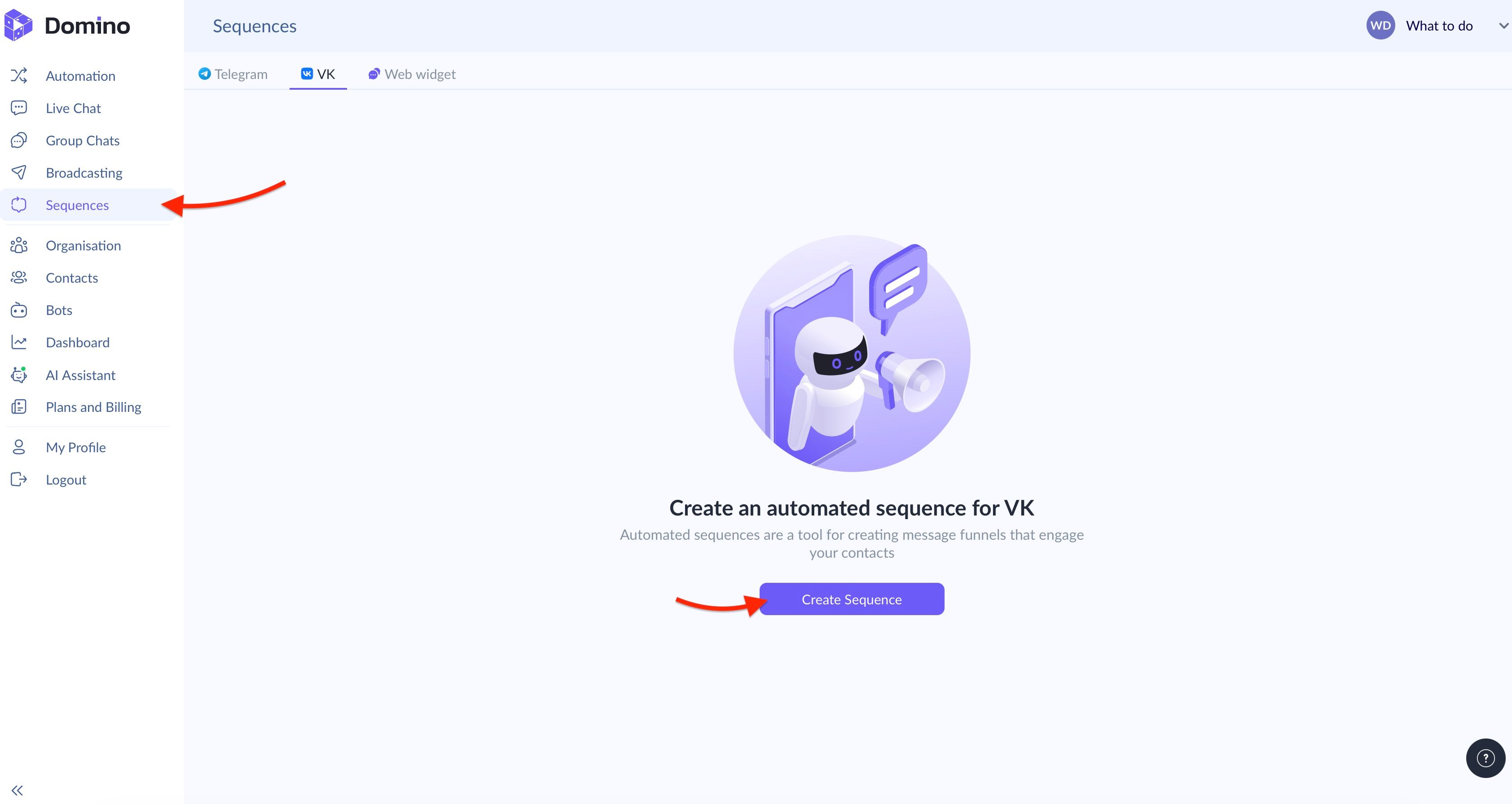
To work with this element, open the 'Sequences' section in your personal account, switch to the VK tab, and click the ‘Create Sequence’ button.
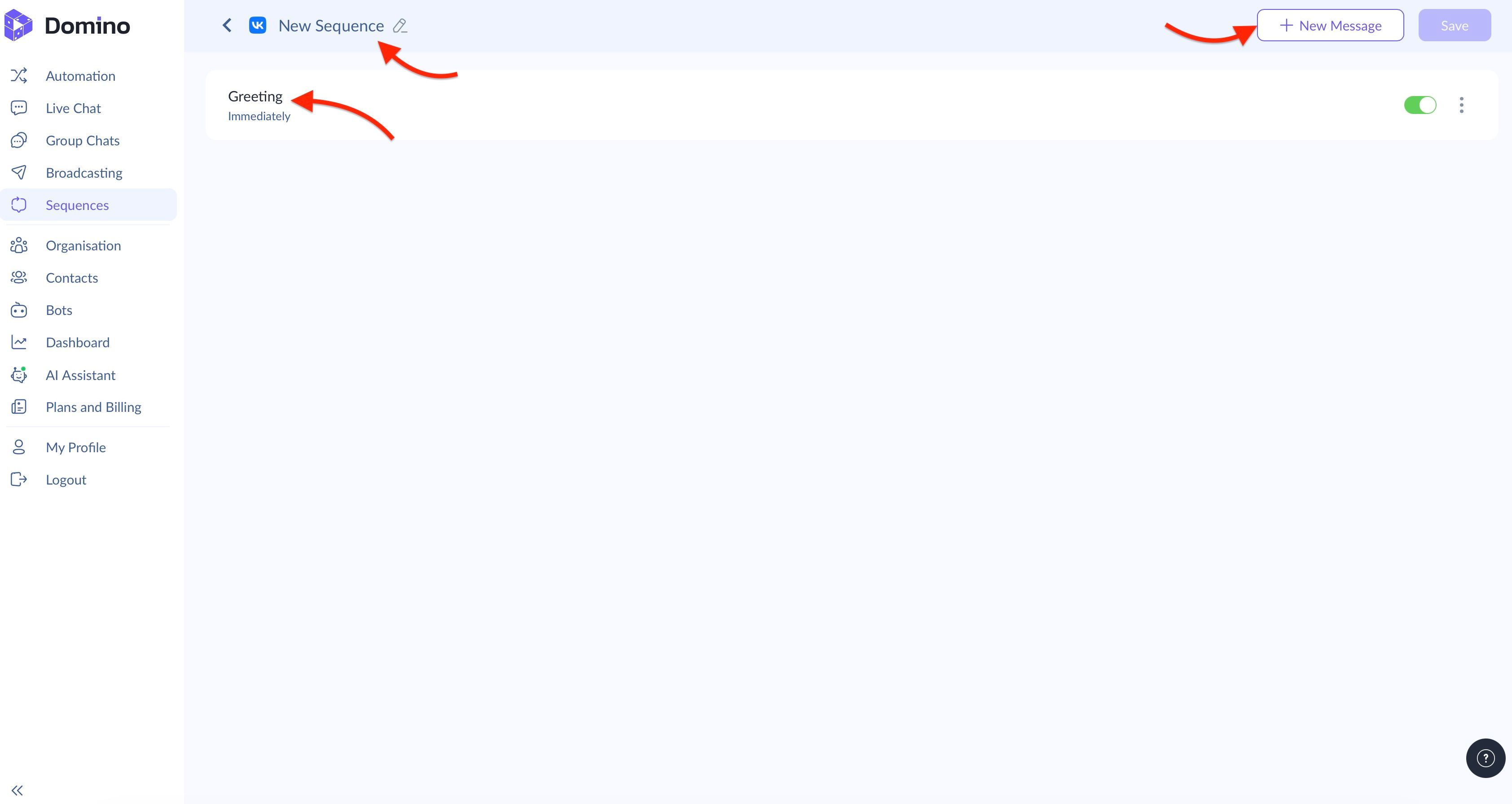
After that, you will enter the VK sequence message editor. Here, you can start working on messages: to edit an already existing one, click on it. To add an additional message, use the corresponding button.
At the level of individual messages, you can:
- Configure the sending time: immediately or according to a schedule;
- Write text with the ability to integrate user variables for personalized communication;
- Add buttons with target actions, such as redirecting users to an external resource via a link or launching a separate chatbot scenario with a payload.
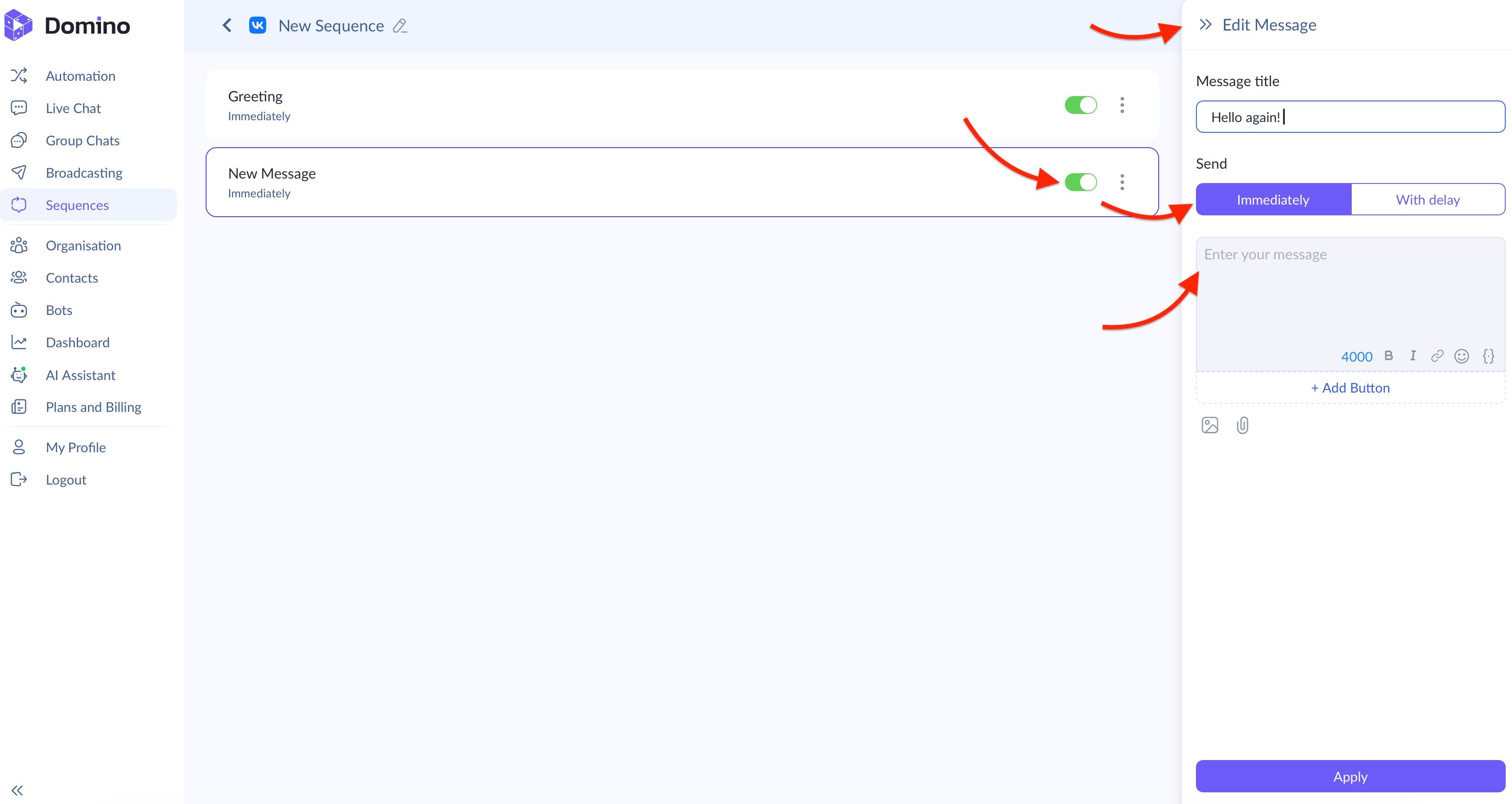
By the way, you can also create backup messages, for example, to test their effectiveness on VKontakte. Next to the title of each message in the VK sequence, there is a toggle switch that allows you to disable or activate it when needed.
Once you finish configuring the last message, click ‘Apply’ to save the changes. Then click ‘Save’ in the upper-right corner.
Integrating Sequences into a Flow
Your final step is to return to the ‘Automation’ section. Then find the place where you want to integrate the 'Sequence' node: it can be found under the ‘Automation’ category.
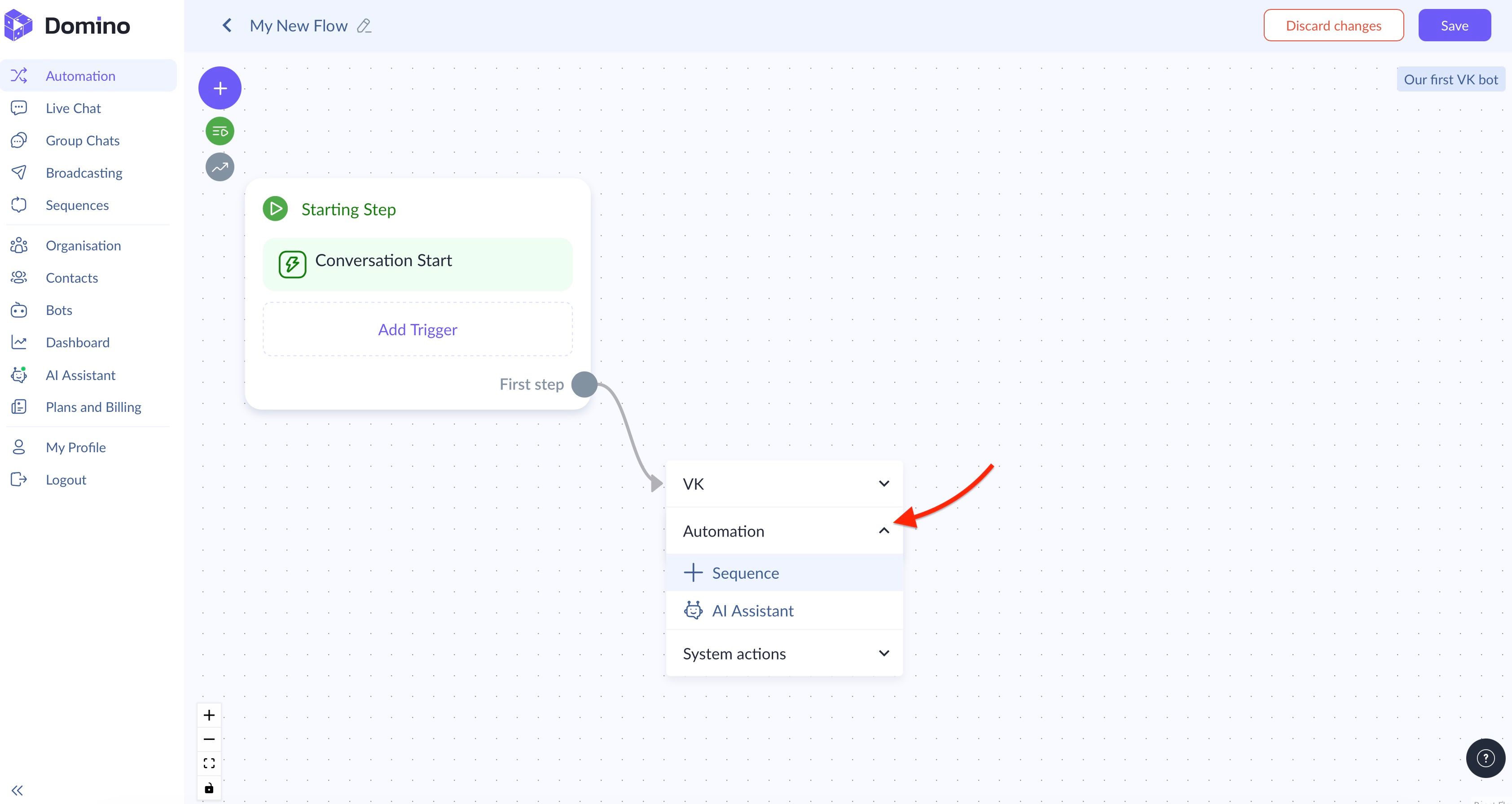
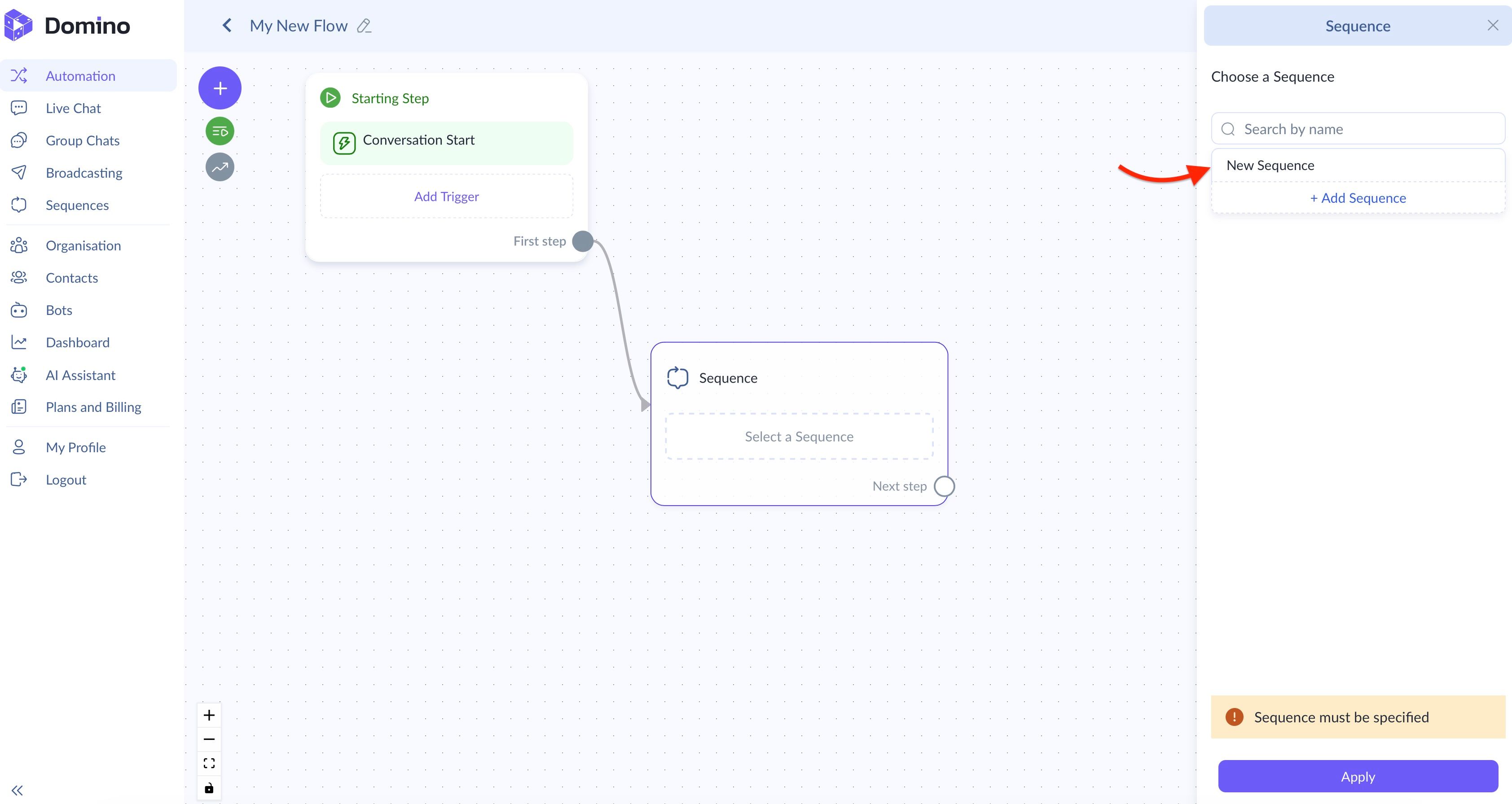
If you click on ‘Sequence,’ a special window will open. In the drop-down list, select the required VK sequence from the ones you have already created. Then click ‘Apply.’
VK sequences are especially useful for industries such as online education, infobusiness, fitness projects, subscription clubs, e-commerce stores, and professional services. In general, these message chains fit almost any sales funnel where regular audience interaction and gradual lead nurturing are important.
You May Also Like
Chatbot: How to Set Restrictions
Learn how to set chatbot restrictions and moderate communication in groups with Domino CRM

How to Create a VK Broadcast with Domino CRM
How a Domino CRM chatbot helps you launch mass broadcasts to subscribers of your VK community