


aprel 21,2025
Domino CRM da tashkilotlarni, jamoalarni va menejerlarni qanday boshqarish mumkin
Biznesingiz tezlashib, o‘sib borar ekan, siz o‘z ishchi kuchini kengaytirish zaruriyatiga duch kelasiz — va bu sizning Domino CRM Telegram chat-botlaringizga ham tegishli.
Nima uchun sizga Domino CRM da qo‘shimcha «inson kuchi» kerak bo‘lishi mumkin:
Yangi biznes yo‘nalishlari yoki bo‘limlar. Siz yangi biznes bo‘linmasi yoki butun departamentni ishga tushirganingizda, u deyarli o‘zining maxsus jamoasini talab qiladi. Alohida jamoa o‘sha bo‘linmaga moslashtirilgan chat-bot orqali mijozlarga xizmat ko‘rsatishni osonlashtiradi.
Kattaroq mijoz bazasi. Auditoriyangiz kengaygan sari, sizga mavjud (yoki yangi tashkil etilgan) jamoaga qo‘shimcha menejerlarni qo‘shish kerak bo‘lishi mumkin. Aks holda, «Topshiriq» tuguni mijoz topshiriqlarini yo‘naltirish uchun yetarli odamga ega bo‘lmaydi.
Domino CRM ikkala vazifani ham tushunarli qiladi. Mana, amaliy ish jarayoni.
Domino CRM da xodimlaringizni qanday tuzilmalashtirish mumkin
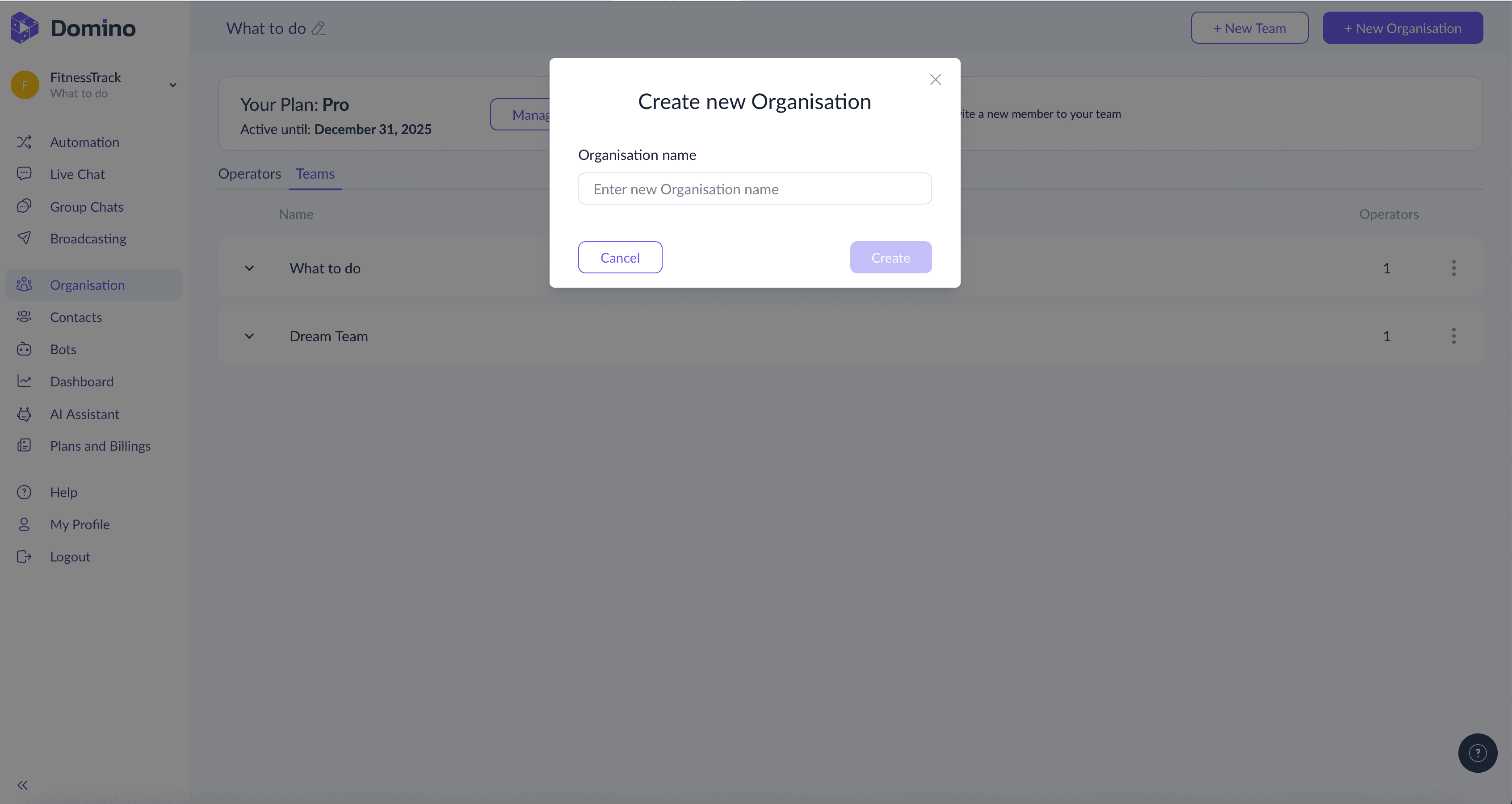
1. Yangi «Tashkilot» yarating
Domino CRM hisobingizdagi «Tashkilot» bo‘limida «+ Yangi Tashkilot» tugmasini bosing. Bu variantni butunlay yangi yuridik shaxs yoki biznes yo‘nalishi uchun ishlating. Ushbu kompaniya ostida yaratilgan har qanday chat-botlar faqat u bilan bog‘lanadi.
2. Yangi jamoa tuzing
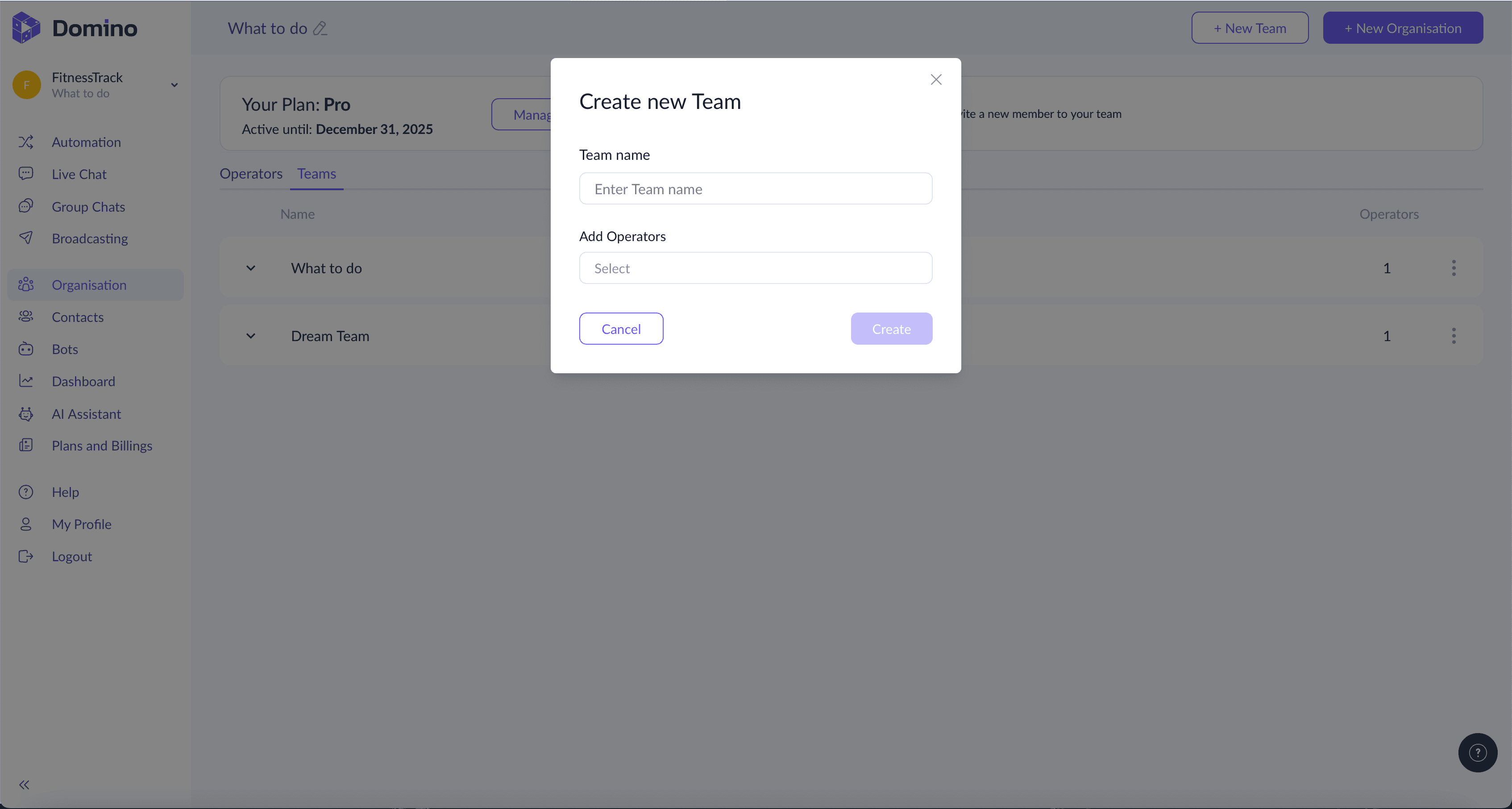
Agar sizga mutlaqo yangi kompaniya kerak bo‘lmasa, o‘rniga «+ Yangi Jamoa» tugmasini bosing. Bu tezroq, tejamkorroq yondashuv joriy kompaniyangiz ichida jamoa qo‘shish imkonini beradi.
- Jamoaga nom bering.
- «Operatorlarni qo‘shish» tugmasini bosib, ochiladigan ro‘yxatdan ularning Telegram hisoblarini tanlang.
3. Ro‘yxatga menejerlarni qo‘shing
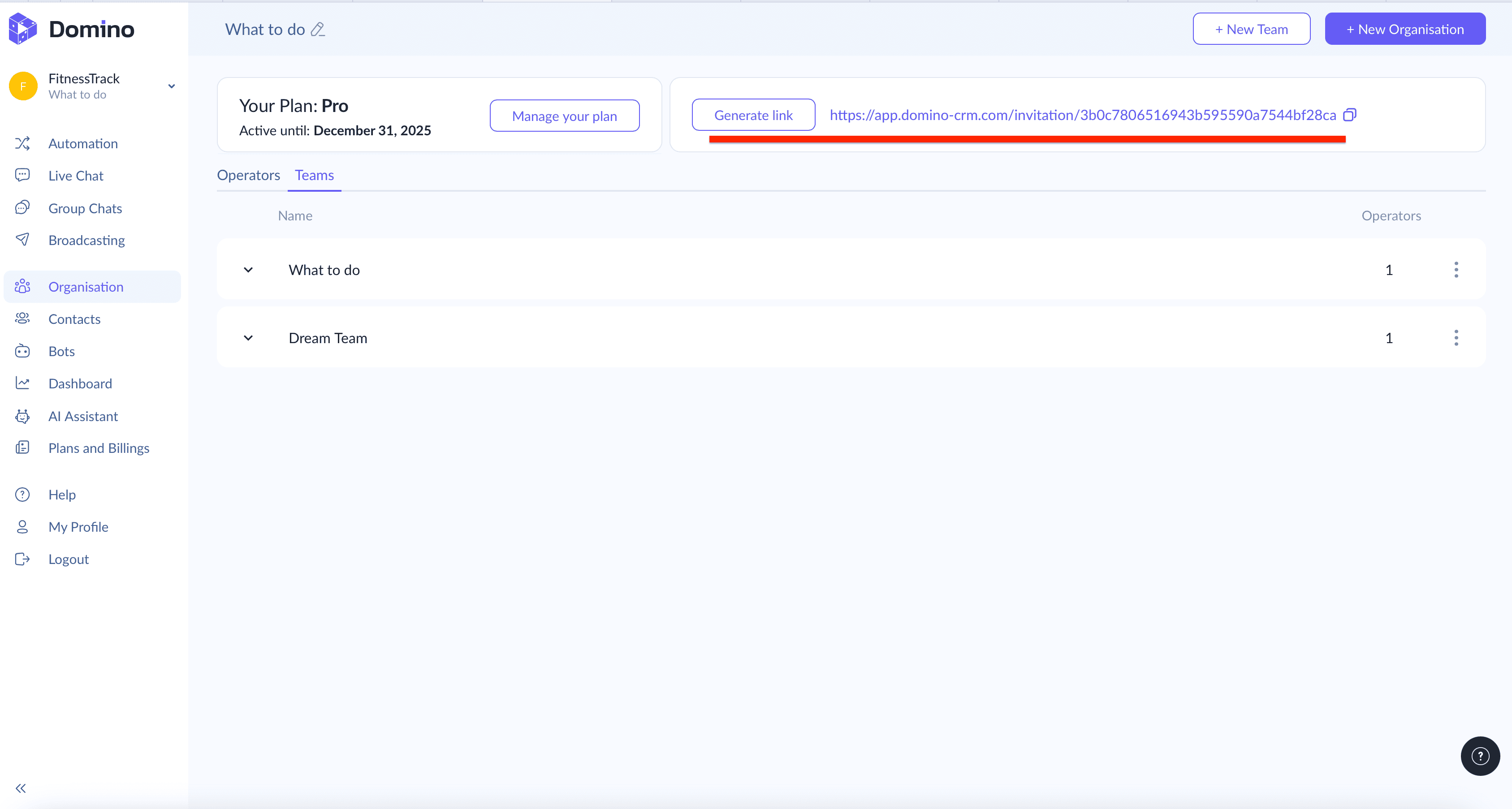
Ochiladigan ro‘yxatni to‘ldirish uchun Domino CRM noyob taklif havolasini yaratadi. Har bir operatorga tizimga qo‘shilishi uchun havolani yuboring.
4. Mavjud jamoaga menejerlarni qo‘shing
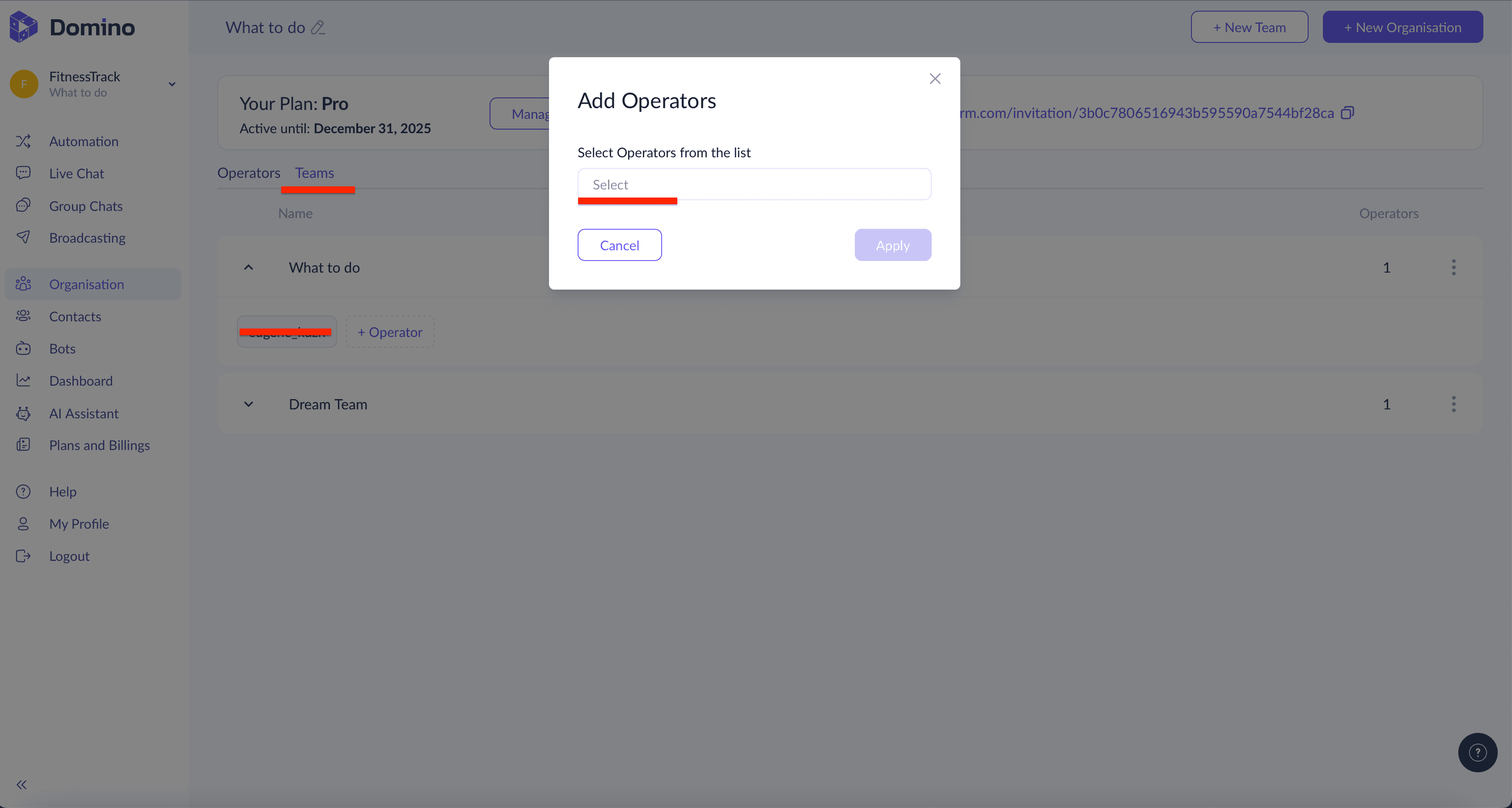
Shuningdek, kerakli jamoa ichida yangi xodimni qo‘shish uchun «+ Operator» tugmasini bosishingiz mumkin.
5. Rollar o‘zgarganda menejerlarni o‘chirish
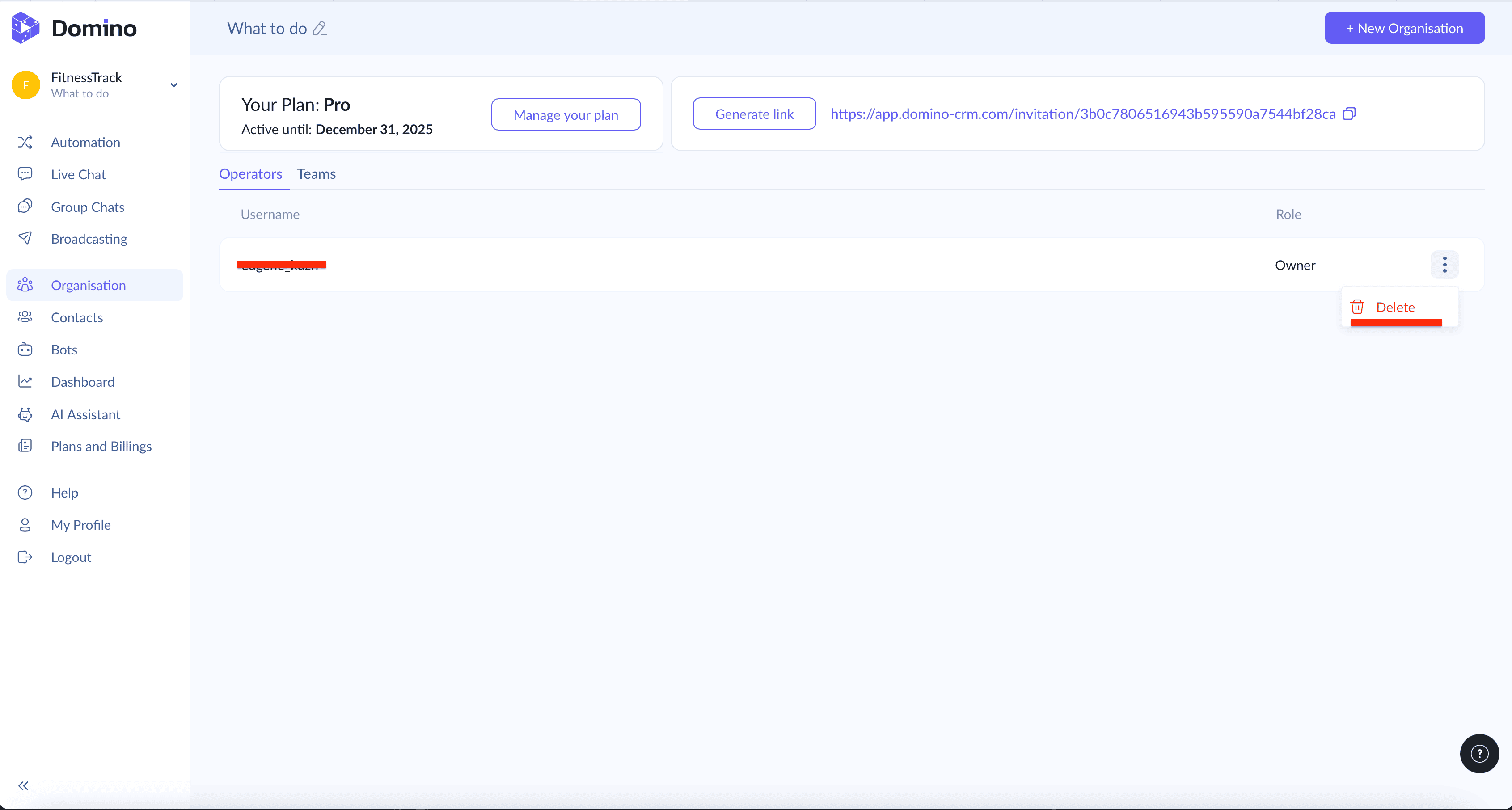
Odamlar rivojlanadi — yoki ketadi. Kimnidir o‘chirish uchun «Operatorlar» ni oching, odamni toping, uch nuqtali belgini bosib, «O‘chirish» ni tanlang.
Domino CRM da xodimlar sonini boshqarish oddiy. Biznesga tayyor chat-botlar bilan operatsiyalaringizni ishonchli kengaytiring.
As your business gains momentum and grows, you inevitably face the need to scale your workforce—and the same holds true for your Domino CRM Telegram chatbots.
Why you might need additional 'people power' in Domino CRM:
New business lines or departments. When you launch a new business unit or an entire department, it will almost certainly require its own dedicated team. A separate team makes it easier to serve customers through a chatbot that is tailored to that unit.
A larger customer base. As your audience expands, you may need to add more managers to an existing (or newly created) team. Without them, the 'Assignment' node will have no enough people to route customer tasks to.
Domino CRM makes both tasks straightforward. Here is the practical workflow.
How to structure your staff in Domino CRM
1. Create a new 'Organisation'
In your Domino CRM account, the 'Organisation' section, click '+ New Organisation'. Use this option for an entirely fresh legal entity or line of business. Any chatbots you create under this company will be associated only with it.
2. Create a new team
If you don’t need a brand‑new company, click '+ New Team' instead. This faster, more cost‑effective approach lets you add a team within your current company.
- Give the team a name.
- Click 'Add Operators' and choose their Telegram accounts from the drop‑down list.
3. Add managers to the list
To populate that drop‑down, Domino CRM generates a unique invitation link. Send the link to each operator so they can join the system.
4. Add managers to an existing team
Also, inside the desired team, you can also click on '+ Operator' to bring a new staff member on board.
5. Remove managers when roles change
People advance—or move on. To remove someone, open 'Operators', find the person, click the three‑dot icon, and select 'Delete'.
Managing headcount in Domino CRM is simple. Scale your operations confidently with business‑ready chatbots.
Sizga ham yoqishi mumkin

Domino CRM-dan SI-chatbot: u siz uchun ishlasin
Domino CRM yordamida aqlli SI-boshqariladigan chatbotni qanday sozlash mumkin

Nima uchun to'lovlarni bot bilan chatda to'g'ridan-to'g'ri qabul qilish kerak?
Nima uchun to'lovlarni bot bilan chatdan chiqmasdan yakunlagan ma'qul