


June 03,2026
Chatbot for Telegram Groups: How It Works in Domino CRM
Advanced tools for managing numerous Telegram groups through a chatbot are one of Domino CRM’s key strengths and a highly valued feature. Users who make full use of this functionality can easily manage hundreds of communities at once.
If you need to manage Telegram communities more efficiently and achieve better results, this guide is for you. Here is a brief overview of the Domino CRM tools available for working with Telegram groups.
How a Domino CRM Chatbot Works with Telegram Groups
Telegram groups are managed through the ‘Group Chats’ section. This is your main workspace.
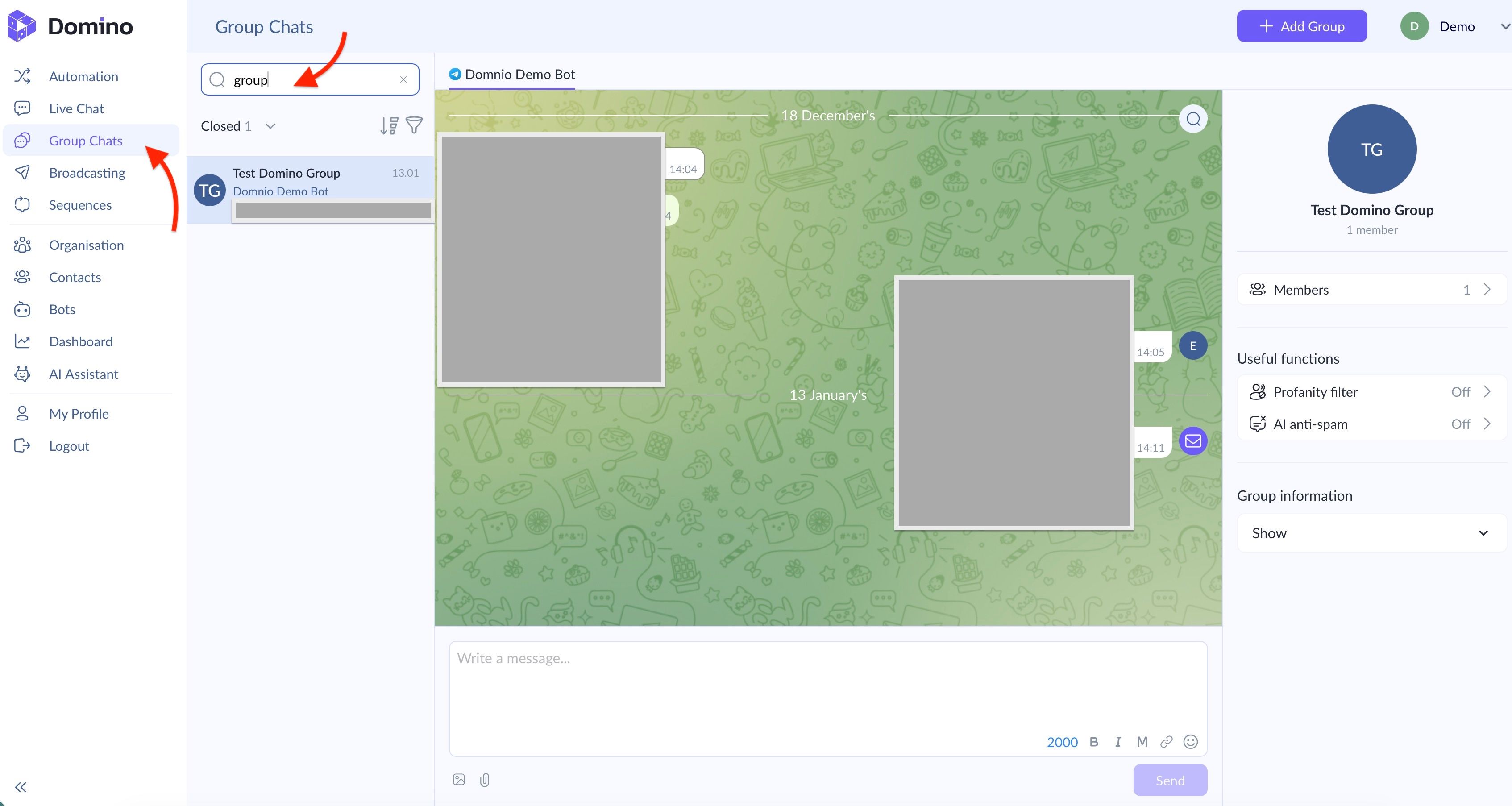
The interface consists of three areas.
On the left, you will find the group search section. Here, you can:
- Enter the name of a group and open it with a single click;
- Sort groups by open and closed chats;
- Display the oldest or newest groups first using the arrow icon;
- Filter groups by the chatbot assigned as an administrator using the funnel icon.
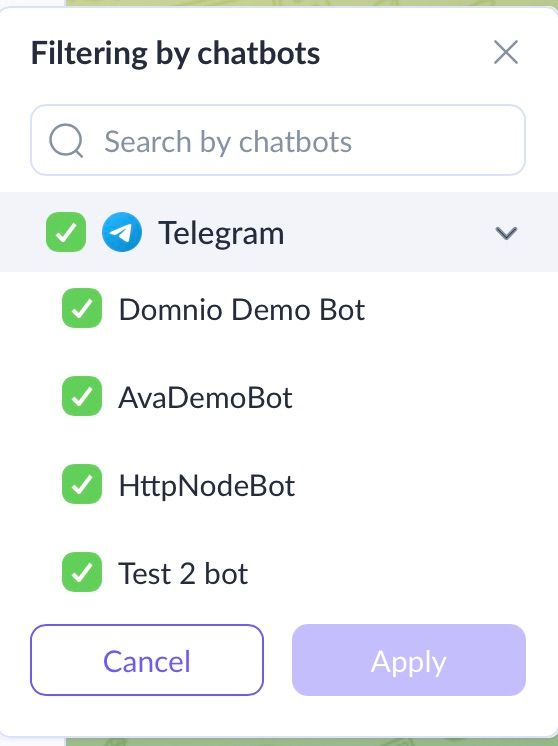
In the central workspace, you can read messages posted by group members and send messages to the group on behalf of the chatbot.
The section on the right allows you to perform three main tasks.
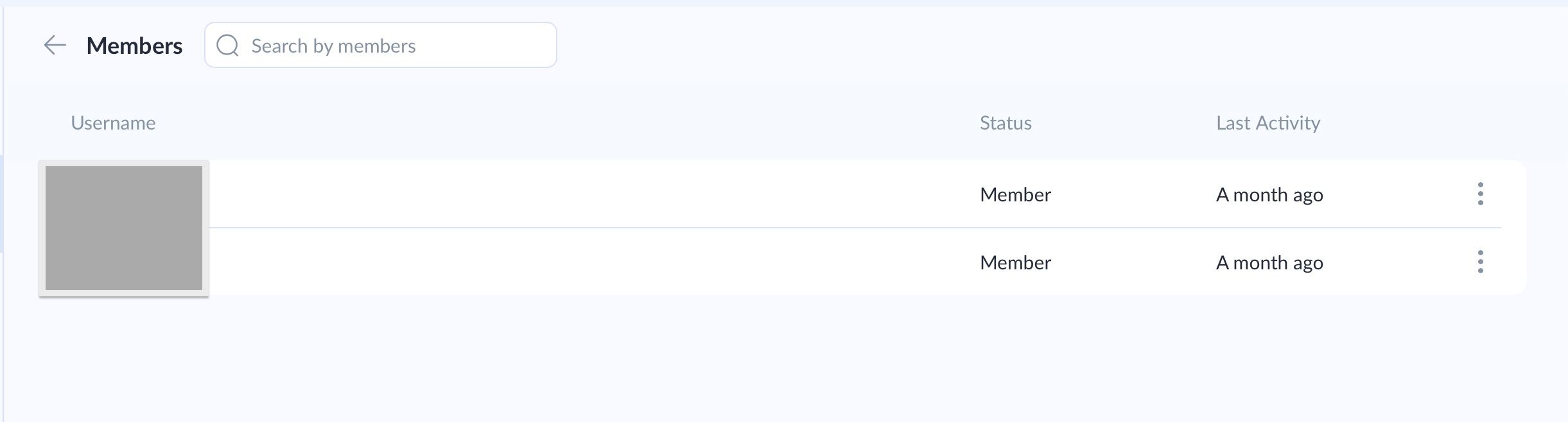
First, you can open the list of group members. This section displays all users, their statuses, and the time of their most recent activity. Click the three-dot icon next to a user to temporarily restrict them or add them to the ban list.
Second, you can activate the Profanity Filter and AI anti-spam tools, which we have already covered in detail. These features allow you to avoid round-the-clock manual moderation and sleep soundly at night. The Domino CRM chatbot can automatically detect prohibited words and topics, remove problematic messages, restrict users who violate the rules, or ban them.
Third, you can view information about the group.
Broadcasts to Groups
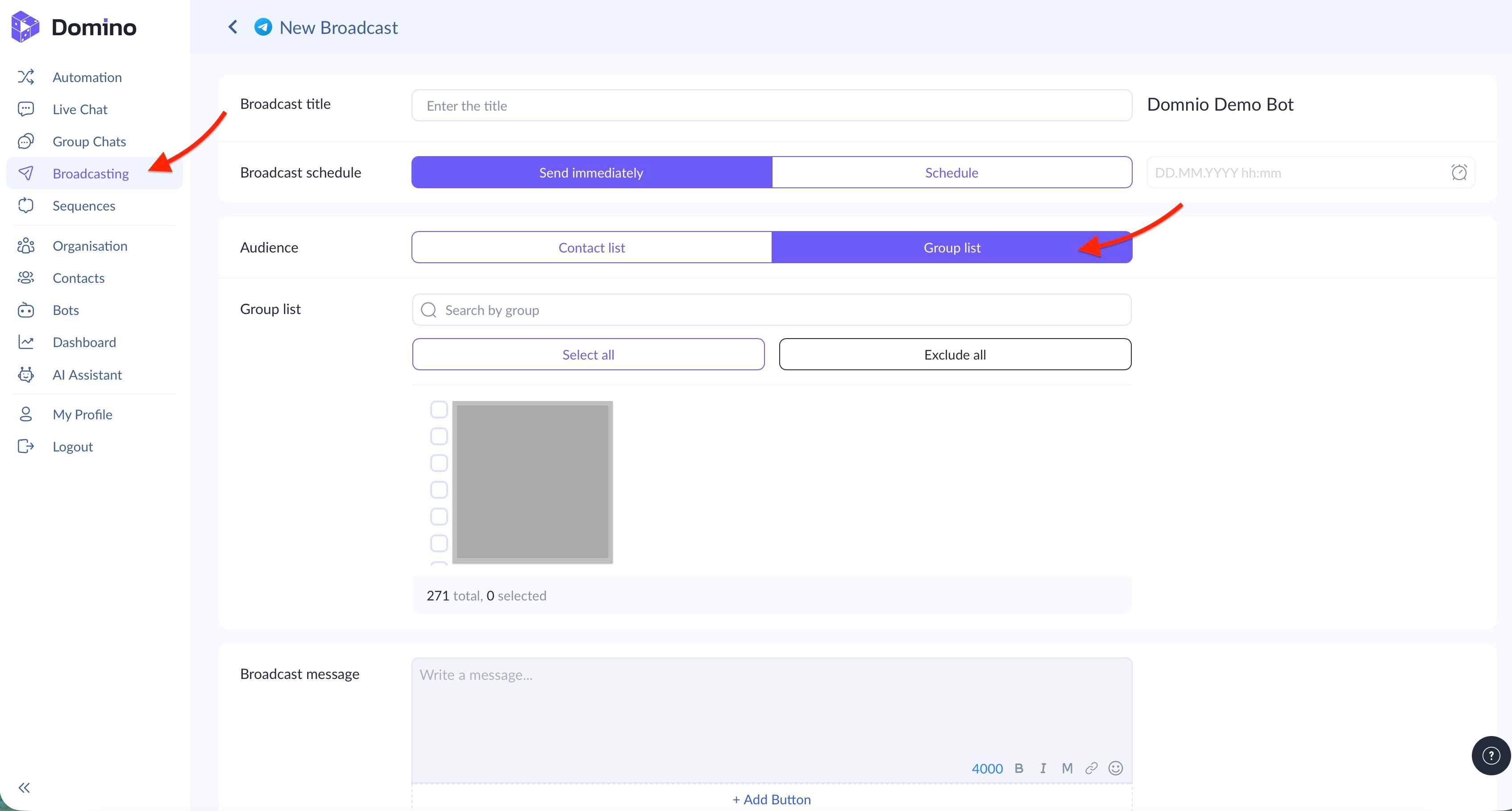
Domino CRM allows you to send broadcasts to one or more Telegram groups at once. This is especially useful for schools, courses, and communities with separate groups for different cohorts, topics, or events, where the same content needs to be shared across multiple chats.
First, add the bot to the relevant groups. Then, when creating a broadcast, open 'Group list' in the 'Audience' field and select the required chats.
How to Add a New Group
To connect a new group, click ‘+ Add Group’ and select the chatbot that will work with it. Then click ‘Send a link to Telegram’.
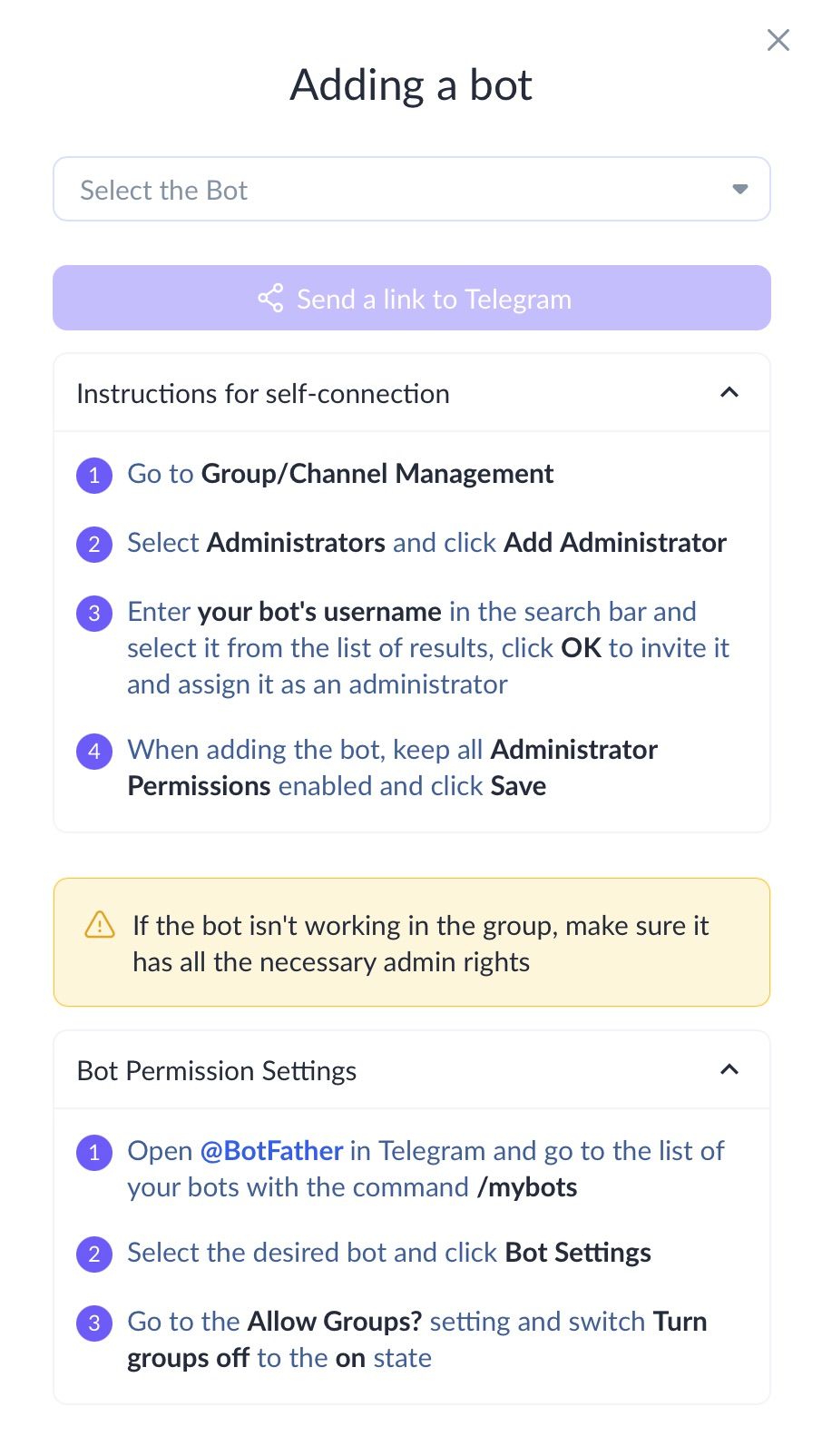
In Telegram, add the selected bot to the group or channel as an administrator using your mobile device. When assigning permissions, keep all available permissions enabled and save your changes.
If the bot does not work in the group, check its settings through @BotFather. Select the relevant bot, go to ‘Bot Settings’, open ‘Allow Groups?’, and make sure that the option to add the bot to groups is enabled.
Domino CRM allows businesses that use Telegram to add chatbots to multiple communities and manage them on the go. The platform also offers extensive opportunities for automation and the use of artificial intelligence.
Try Domino CRM as your community management tool and see how effectively it works.
You May Also Like

Chatbot for Beauty Salons and Barbershops
How a Chatbot Helps Beauty Salons and Barbershops Attract and Retain Clients

HR Chatbot: Employee Onboarding
How an HR Chatbot Can Automate Employee Onboarding